Why Your Smart TV Is Spying on You: Shocking Privacy Hacks Every Owner Needs to Know
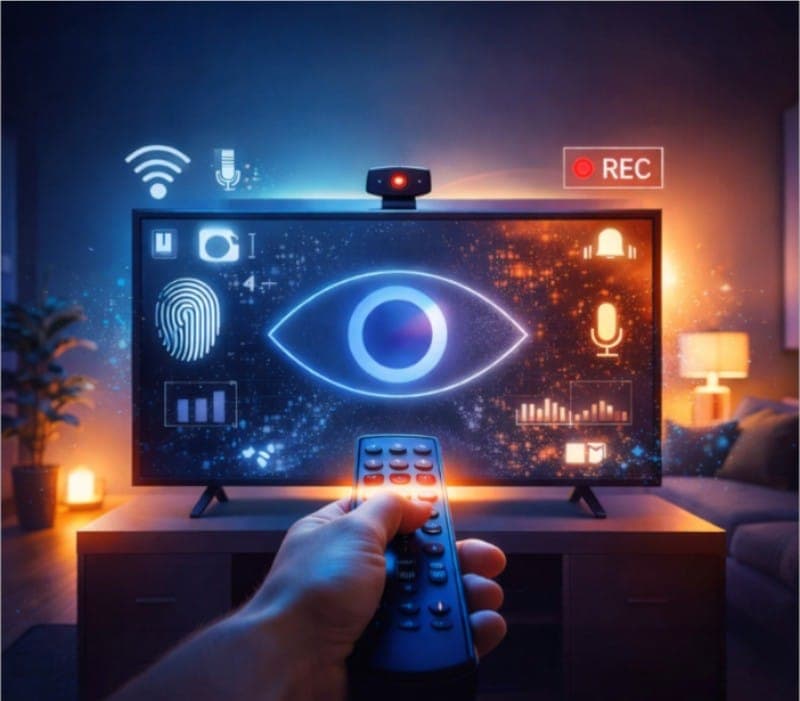
Imagine unwinding on your couch, watching your favorite show, completely unaware that your TV might be watching you back. It sounds like a scene from a sci-fi thriller, but for millions of smart TV owners, it's a reality. Smart TVs have become the centerpiece of modern home entertainment – offering streaming apps, voice assistants, and internet connectivity – but they've also ushered in a new era of surveillance in the living room. In this in-depth guide, we'll pull back the curtain on how and why your smart TV might be spying on you, recount jaw-dropping real-world scandals from major brands, and, most importantly, show you how to protect yourself. Grab the remote (and maybe a roll of tape for that webcam) – it's time to tune in to the truth about smart TV privacy.
Last updated: 16 August 2026.
Shopping for a new set? Our Smart TV buying guide covers what else to look for beyond privacy.
Smart TVs: Connected and Exposed – How Connectivity Opens the Door
Smart TVs are essentially fully functional computers built into flat-screen TVs. They connect to the internet via Wi-Fi or Ethernet, run complex operating systems (often based on Android, Linux, or proprietary platforms), and offer app stores with streaming services and games. This connectivity is great for binge-watching Stranger Things on Netflix, but it also makes smart TVs vulnerable in ways old “dumb” TVs never were. Any device that goes online can be hacked – and smart TVs are no exception[1].
- Limited Updates, Lasting Risks: Unlike your smartphone or laptop, which might get frequent security patches, smart TVs often have shockingly short support lifespans. A U.K. consumer advocacy report by Which? found that many smart TVs receive updates for only 2–3 years after release[2]. After that, known security holes may never be fixed. In fact, a TV purchased in 2022 might already be vulnerable by 2025 due to lack of updates. This is a ticking time bomb – hackers thrive on unpatched devices.
- Familiar OS, Familiar Exploits: Under the hood, smart TVs run operating systems much like smartphones or tablets. For example, many budget brands use Android TV. That means they inherit not only the features of those systems, but also their weaknesses. Malware that targets Android phones can sometimes infect Android TVs. In one notable case, researchers discovered an Android-based TV ransomware known as “FLocker”, which locked up TVs, harvested sensitive data like location and photos, and demanded payment. If a virus can hit your PC, it can likely hit your TV too.
- A Playground for Hackers: Why would hackers go after your TV? For the same reasons they target any computer: to steal data, extort money, or hijack it for larger attacks. In one experiment, security researchers found smart TV “bots” stealing login credentials stored on the TV – imagine your Netflix, Amazon, or social media passwords being quietly siphoned away. Consumer Reports even uncovered flaws in Samsung and TCL (Roku) TVs that allowed hackers to remotely take over basic functions – changing channels, raising volume, or kicking the TV off Wi-Fi. While that particular bug was later fixed with an update, it proved the point: an internet-connected TV with weak security can be an easy target. The FBI has warned that an unsecured smart TV can act as a gateway into your home network for cybercriminals – a hacker might not crack your well-protected laptop, but your TV could be an unlocked backdoor[3].
- Built-in Mics and Cameras – Bonus for Bad Guys: Many modern TVs come with voice command mics (hi, Alexa/Google) or even built-in video cameras (for Zoom calls or gesture controls). These are awesome features when used legitimately – and terrifying when abused. A breached TV could allow eavesdroppers to listen through your TV’s microphone or watch you via its camera without you knowing. In a chilling warning, the FBI stated that hackers exploiting an unsecured smart TV could “turn on your bedroom TV’s camera and microphone and silently cyberstalk you”[4]. That’s right – the same device you watch could watch you back in the worst-case scenario.
In short, by connecting our TVs to the internet, we’ve invited in all the same security threats that plague PCs and phones – but without the same protections. Your smart TV is an open window to the internet, and without safeguards, anything (or anyone) could slip in.
Automatic Content Recognition (ACR): Your TV’s Creepy Little Secret
One of the most important (and least understood) technologies in smart TVs is something called Automatic Content Recognition (ACR). If you've never heard of it, you're not alone – TV makers aren’t exactly advertising this feature in bright flashing letters. ACR is like a Shazam for your TV, constantly monitoring what’s on your screen and reporting back. Here’s how it works and why it exists:
- How ACR Works – Screenshot Spies: ACR uses image and audio recognition to identify content playing on your TV. Every few seconds, the TV takes a snapshot of whatever you’re watching (yes, literally grabbing pixels off your screen) and then compares those snippets to a vast database in the cloud. It can match the show, movie, or ad within seconds, whether you’re watching a stream on YouTube, a cable broadcast, a DVD, or even a video game. Think of it as your TV playing detective 24/7, identifying every show or ad in real time. In fact, modern ACR is so aggressive it can capture 2 screenshots per second – up to 7,200 “images” of what you watch per hour. If that sounds like overkill, remember: the more data points, the more precisely your habits can be tracked.
- Not Just TV Shows – Everything: Early on, one might assume ACR only cares about your streaming habits or broadcast channels. Nope. “Regardless of the input source … or a vacation photo,” ACR is watching. That means whether you’re playing Xbox, watching a Blu-ray, or showing grandma pics from your USB drive, the TV’s tracking system could be scanning it. Your TV sees all, and tells all – unless you explicitly stop it (more on opting out later).
- Why Are TVs Spying? Follow the Money: All this content recognition isn’t done out of idle curiosity – it’s about advertising and data mining. TV manufacturers realized they could monetize viewing data in ways that go far beyond the old Nielsen ratings. The data about what you watch is insanely valuable for targeted marketing. Advertisers spent an estimated $18.6 billion on smart-TV ads in 2022 alone. How do they ensure those ads hit the right audience? By leveraging viewing data scooped up by ACR. Your TV is effectively collecting your watching habits to sell as a product to the ad industry.
- ACR in Action – An Example: Let’s say you’re watching Game of Thrones on your smart TV. With ACR, your TV might capture a quick series of screen images during an episode and send an identifier to a server which says, “User 123 is watching Game of Thrones, Season 4, Episode 2 on HBO, at 9:00 PM.” Now this gets really interesting (or scary): companies like Samba TV (a major ACR provider) will map that info to your household and all your devices. As illustrated below, they create a unique profile (a “household ID”) and even a “device map” linking your TV to your phones, tablets, laptops – any device sharing your network[5]. Why? So they can follow up. Maybe you start seeing ads on your phone for the Game of Thrones merchandise or a related video game. They could also infer things about you – e.g., if you watch a lot of political news, Samba TV even offered advertisers the ability to target you based on whether you watch conservative vs. liberal media outlets. In other words, they’re building a detailed profile of your interests and even your beliefs. Creepy? Absolutely. Profitable? Hugely.
- Big Players Behind the Scenes: You may not have heard of companies like Samba TV, Gracenote, or Alphonso, but they’re the ones powering a lot of this tracking. Samba TV has deals to run ACR on TVs from Sony, Sharp, TCL, Philips, and more. They boasted the ability to gather data from 13.5 million TVs in the U.S. and have expanded internationally. Gracenote (owned by Nielsen, the famous TV ratings firm) is also in the game – Nielsen uses ACR data (through Gracenote’s “Grabix” system) to get second-by-second stats on viewership. Another company, Inscape, was Vizio’s partner in the notorious Vizio tracking scandal (more on that soon). And Alphonso made headlines for using a different tactic: they got their code embedded in mobile apps, which used the phone’s microphone to listen for ultrasonic audio tones from your TV, identifying what you were watching by sound. It’s a full-blown industry devoted to one thing – figuring out what you watch, how you watch, and who you are, so they can make money off that info.
- ACR by Any Other Name… To be clear, TV makers rarely call it “ACR” in plain terms on your screen. They use friendlier labels: Vizio calls it “Viewing Data” (formerly “Smart Interactivity”), LG calls it “Live Plus”, Samsung might label it “Viewing Information Services”, and Roku (on Roku TVs) bundles it under “Smart TV Experience”. These euphemisms make it sound like a feature to help you (and indeed they often claim it’s for content recommendations). But behind the scenes, it’s the same surveillance machine. And yes, by default, it’s usually ON (often you’re asked to enable it at setup with an innocuous prompt – many people just hit “Agree” without realizing what it is).
- Third-Party Apps Tracking: It’s not just the TV manufacturers – the apps on your smart TV (think Netflix, Hulu, YouTube, etc.) have their own tracking. Even if you never sign in to an app, it may still collect data about what you watch or do. According to a Consumer Reports investigation, streaming apps on a smart TV can gather info “even if you don’t ever sign in,” and the TV’s operating system itself will collect details like your location, which apps you open, and more. Many voice-enabled remotes send your voice commands to the cloud (e.g., when you ask Roku or Amazon’s Fire TV to search for something, those voice clips can be saved). And manufacturers admit they often combine all this information together – what apps you use, what you say to the voice assistant, etc. – and may even combine it with data from other sources (data brokers, anyone?) to flesh out your profile. In essence, your smart TV is multiple spies in one: the TV platform itself, plus each app potentially phoning home about your usage.
ACR and related tracking systems are the invisible heart of the smart TV economy. They’re why that TV was so cheap on Black Friday – because if you’re not paying for the product, you (or your data) are the product. Which brings us to…
Why Do They Want Your Data? – Ad Tech, Data Brokers, and the $$$ at Stake
You might wonder, why do TV companies even care about what I watch? The short answer: money. The longer answer: the modern advertising and data brokerage ecosystem is ravenous for personal data to fuel the targeted ads that have become the norm. Your viewing data is a piece of that puzzle, and it can be combined with other data about you to paint a goldmine picture for marketers.
- Turning Viewers into $$$: Smart TVs often sell at razor-thin profit margins. Manufacturers, especially budget brands, needed a new revenue stream – and they found it in selling data and ad spaces. A Texas legal complaint (2025) alleges that major TV makers have been “turning living rooms into unwitting data goldmines,” secretly monitoring viewing to sell info for targeted ads. How much money? Industry estimates suggest that targeted advertising via ACR can net around $20 per TV per year for the manufacturer. Multiply that by tens of millions of TVs, and you see why they’re so keen. In 2022, connected TV advertising was a nearly $19B market – your eyeballs are extremely valuable.
- Hyper-Personalized Ads: The data collected (what you watch, when, for how long, etc.) is bundled with other details, like demographic info. For instance, Vizio (through its data subsidiary Inscape) didn’t just log what you watched; they appended info like your age, sex, income, marital status, household size, education, home ownership, etc. (sourced from data brokers) to your viewing profile, then sold that to third parties. Why would an advertiser want this? Imagine you’re an advertiser for a new minivan. Instead of buying a generic TV ad spot, you can buy data that says “show my ad to households that watch a lot of Nickelodeon (kids content) and have income > $100k and have 2+ kids and are in the market for a car.” Smart TV data makes that level of targeting possible on traditional TV content, not just online. This is the real business model of many TV makers: they’re not just selling TVs, they’re selling insights about you.
- ACR Partnerships – Everyone’s Doing It: Most TV brands aren’t building these systems from scratch; they partner with specialized ad-tech firms. Samba TV, for example, has or had deals with Sony, TCL, Sharp, Philips, and more[6]. Nielsen (the ratings giant) acquired Gracenote to get into the ACR game, ensuring they remain relevant as old-school TV ratings give way to granular digital tracking. The Texas Attorney General’s 2025 lawsuit explicitly calls out how TV manufacturers have “invested heavily in ACR partnerships with data brokers like Samba TV or Nielsen” to monetize viewer data. This web of partnerships means even if you trust your TV maker, they might be sending your data to third parties you’ve never heard of.
- From TV to Multi-Screen Marketing: The goal for advertisers is cross-device tracking. They love that a smart TV can act as the central hub linking all your devices. Say you see a Dunkin’ Donuts commercial on your TV. With ACR data, an advertiser could later serve you a Dunkin’ coupon on your phone’s browser – because they know that phone is in the same home that saw the TV ad. Samba TV bragged that its tech could track over 1 billion devices by using the smart TV as the “master key” to map devices in a household. And as mentioned, they even offer targeting by content preferences (e.g., political content viewed). It’s not just about selling you TVs or streaming subscriptions – it’s about influencing everything you might buy.
- Data Brokers and Privacy Nightmares: The data from your TV doesn’t live in a silo. It can be combined with the vast data-broker industry that knows what you buy, what your credit score is, what your interests are, etc. For example, Experian (a credit bureau and data broker) might link your TV viewing profile with your credit and purchase data to help a financial advertiser target you better. In one case, Sony’s privacy policy notes that they share viewing data with “demand-side platforms, ad networks, measurement companies, data …” (data brokers was cut off in a snippet, but it’s implied). In other words, your TV habits are just one more dataset in the big stew of online and offline data being swapped and sold in real time.
- When “Personalization” Isn’t Personal: TV makers often defend these practices by saying they’re giving you personalized recommendations or ads that are more relevant. Perhaps you do appreciate a good recommendation now and then. But let’s be honest: nobody asked for their TV to become a surveillance device for hire. And often, you didn’t knowingly consent – consent was buried in a lengthy terms-of-service or a misleading setup prompt. Case in point: Vizio’s TVs had a feature called “Smart Interactivity” that sounded helpful (program suggestions) but was actually quietly collecting your viewing data for sale. The company got in trouble for that (more below), but others learned to be a bit more upfront – albeit, often just enough to be legally in the clear while still confusing the average user.
To sum up, there’s a whole shadow industry built on your TV habits. The reason your smart TV can be so cheap (or why some platforms like Roku can sell $30 streaming sticks) is because there’s a hidden revenue stream after the sale. Your behavior is being monetized every minute you watch TV. Now, let’s look at some of the shocking real-world cases where this monetization crossed the line into scandal.
Real-World Privacy Scandals: What the TV Brands Don’t Want You to Know
It’s not just theoretical – there have been numerous high-profile incidents where smart TVs outright invaded privacy or security, leading to public outrage, lawsuits, and fines. Here are some of the most infamous examples, involving big names like Vizio, Samsung, LG, and Roku:
- Vizio’s $2.2 Million FTC Smackdown (2017): If there’s one case that woke people up to smart TV spying, it’s Vizio. Vizio had quietly installed ACR tracking on 11 million TVs and for years collected everything their owners watched – down to the second, without consent[7]. They even combined it with personal info (age, sex, income, etc.) and sold it to advertisers and data brokers. All of this was done under a misleading feature name (“Smart Interactivity”) that never clearly told users what was happening. The FTC and state of New Jersey sued Vizio, resulting in a $2.2 million settlement and a court order to stop these practices. Vizio had to delete all the data it collected prior to 2016 and was mandated to “prominently disclose and obtain affirmative express consent” before collecting viewing data going forward. This was a huge win for privacy – but also a slap on the wrist considering Vizio’s scale (the fine amounted to about 20 cents per affected TV). Vizio, by the way, made ~$17 million settling class-action suits with consumers too. The message was clear: they profited from spying, got caught, paid a fine, and moved on. And indeed, regulators noted that after this case, TV makers started at least asking permission – but as we’ll see, they often ask in ways that ensure almost everyone still clicks “yes.”
- Samsung: “Be Careful What You Say” (2015) & the Weeping Angel Hack: Samsung, the world’s biggest TV maker, has had its share of privacy uproars. In 2015, consumers discovered an Orwellian warning in Samsung’s smart TV privacy policy: if you enable voice recognition, “everything a user says in front of the TV is recorded and transmitted … to a third party”. In plain English, if you talked near your TV, Samsung’s system was potentially listening and sending your voice to a server (Samsung used a third-party voice processor, Nuance Communications[8]). This revelation led to headlines about “Samsung TVs eavesdropping” and even a complaint by privacy groups to the FTC. Samsung claimed it wasn’t actually misusing the data and that it only listened after you trigger the voice command, but the damage was done – the idea of your TV recording your conversations freaked people out (justifiably!). Around the same time, another Samsung TV scandal broke courtesy of WikiLeaks: the CIA had developed a hack codenamed “Weeping Angel” that could put a Samsung TV into a “Fake-Off” mode – making the screen appear off while the TV secretly kept the microphone on, recording everything and streaming it over the internet to CIA servers. Yes, that actually happened in the real world. While that was a government espionage tool (not Samsung’s doing), it proved how a smart TV’s hardware can be subverted to spy. Samsung’s bad PR continued when researchers later found that some Samsung TVs were transmitting voice data unencrypted over the web[9] (meaning hackers could potentially intercept it). Whether by design or by hack, Samsung TVs taught us that a TV with a mic is a double-edged sword: convenience vs. potential “living room wiretap”.
- LG: USB Snoopgate (2013): LG got caught in one of the earliest smart TV privacy scandals back in 2013, and it was a doozy. A British IT consultant, Jason Huntley, discovered that his LG TV was collecting data on what channels he watched and even the filenames on his USB drive plugged into the TV, and sending that info back to LG’s servers – even when he had turned off data collection in settings. To prove it, he even put a fake file named “Midget_Porn_2013.avi” on a USB stick and saw the TV dutifully report that file name to LG. Talk about invasion of privacy (and awkward file names)! The setting “Collection of watching info” was buried in a menu and was ignored by the TV – essentially a placebo toggle. When confronted, LG at first said users consented via the terms & conditions (that nobody reads) and that the data wasn’t “personal” but just for better ads and recommendations. They also laughably claimed the USB filenames were collected as part of a “new feature” to pull metadata about your content. Under pressure (and likely facing regulators), LG relented and issued a firmware update to stop collecting data when users opt out and to stop sending USB filenames altogether. This incident revealed a few key things:
1) Smart TVs were “phoning home” with way more info than anyone imagined,
2) Privacy settings were sometimes just for show, and
3) Companies viewed your viewing habits and even your personal media files as fair game for data harvesting. As one Princeton computer science professor summed up regarding LG: companies built all these features with no thought to privacy or security; it was easy to do, and they figured why not collect it all. Only after getting caught did they reconsider. (Fun fact: LG’s defense that it wasn’t “personal data” because it was just viewing info is the classic mentality – as if what you watch isn’t deeply personal! If you’ve ever hesitated to tell someone what TV show you secretly love, you know how personal viewing habits can be.) - Roku and TCL: The Consumer Reports Test (2018): Roku’s platform powers many budget smart TVs (from brands like TCL, Hisense, Sharp, etc.), and in 2018 it came under scrutiny not so much for spying, but for being highly hackable. Consumer Reports, using a new testing standard for digital privacy/security, found that Roku TVs had a vulnerability where an attacker on your Wi-Fi network (or a malware-infected phone on the network) could send commands to the TV without a password. Through an unsecured API port, a hacker could change channels, crank the volume to max, or play offensive YouTube videos as a prank. Samsung TVs had a similar issue. This wasn’t deliberate spying, but it showed how poor security design put users at risk. Roku downplayed it, saying this “feature” was intended (it’s true that their mobile app remote works via the API) and that it’s not a risk if your network is secure. They did note users can disable “External Control” if they want. Still, it’s unsettling that millions of TVs had such a simple open door. Imagine a mischievous neighbor on your guest Wi-Fi starting to flip your channels! The takeaway: even if the TV brand isn’t spying on you, a weakly secured smart TV can invite others to meddle with you**. (On the flip side, to Roku’s credit, their platform’s privacy settings are a bit more straightforward than some others – we’ll cover those later.)
- New Wave: Lawsuits and Geopolitical Fears (2020s): In late 2025, the Texas Attorney General sued Samsung, LG, Sony, Hisense, and TCL – basically, the big five – accusing them of “excessive and deceptive surveillance” of customers[9]. The suit highlighted the ACR issue once again, alleging these TVs are taking screenshots of your content and grabbing “every other bit of personal data” they can. It even raised a geopolitical angle: Chinese manufacturers (Hisense, TCL) might be compelled to share data with the Chinese government (a claim those companies would surely deny, but it taps into broader concerns about Chinese-made electronics). The Texas case echoes the earlier Vizio saga but on a larger scale, seeking to stop these practices and fine the companies. It essentially accuses the TV makers of building “mass surveillance systems” under the guise of smart TVs. We have yet to see the outcome, but it shows authorities are paying attention – ten years after these issues first came up, they’re still happening. In Europe, strict GDPR laws theoretically limit such data collection, but researchers say smart TV spying is growing in Europe too despite the regulations[10]. Clearly, the industry has been reluctant to change its ways.
These cases drive home that the threat is real. Smart TV makers have overstepped boundaries – sometimes legally, often ethically – and have been caught red-handed. Each time, there’s outrage, maybe a fine, maybe a promise to do better… and then a few years later, a new issue arises. It’s a cat-and-mouse game between consumer privacy and corporate (or hacker) greed.
So far, we’ve mostly discussed the data your TV collects for itself or for advertisers. But we hinted at another dimension: those built-in microphones and cameras. Let’s delve deeper into how those can be misused.
Big Brother in the Living Room – Microphones, Cameras, and Voice Assistants
One of the selling points of many smart TVs is the inclusion of voice assistants (like Alexa, Google Assistant, or Bixby) and occasionally cameras (for video calls, gesture controls, or fancy features like facial recognition). It’s undeniably cool to say “Hey TV, play the next episode” or to have a video chat on the big screen. But, as we’ve learned, any sensor that can listen or watch has privacy implications. Here’s what you need to know about these features:
- Voice “Assistant” or Accidental Eavesdropper? Most smart TVs now come with a voice remote or always-listening mic. For example, Samsung and LG have voice commands, many Android TVs have Google Assistant, and Amazon’s Fire TV integration means Alexa is in the mix. Usually, they claim the TV only listens after you press a button or say a wake word (like “Hey Google”). However, in practice there have been slip-ups. The infamous Samsung case from 2015 revealed that when voice recognition was on, the TV could capture everything you said and send it to a third-party for processing. The idea that your private conversations could be inadvertently recorded and transmitted is disturbing. Samsung had to clarify and modify its privacy policies after that backlash. But even if the system works as intended (only actively listening when triggered), consider this: your voice commands (e.g., “Search for The Office reruns”) are being sent to cloud servers, often stored, and sometimes analyzed to improve the service. Those voice snippets might contain more info than you realize (“Play The Office” reveals a preference; “Show me romantic comedies” might reveal mood or context). Manufacturers and their partners can and do store voice data, and often it’s tied to your user ID. They say it’s to improve recognition and personalize results. But it could also be used to personalize ads. It’s not a leap to imagine voice data being mined (e.g., you ask “What’s the weather?” and later you get ads for raincoats).
- “Face Recognition” – Your TV Knows Who’s Watching: A number of newer smart TVs have built-in cameras. Some high-end models by Samsung, LG, or Sony included pop-up cameras for Skype or their own gesture control systems. The FBI pointed out that some TVs use these cameras for facial recognition – to identify which member of the household is watching and personalize content accordingly[11]. For instance, the TV might know that the kids are in the room vs. the parents and recommend different shows, or show different profile content. While that might sound convenient, think of the flipside: somewhere out there, data exists about when you personally sit down to watch TV. A device in your home is analyzing images of your face to guess who you are and what you want to see. If that doesn’t raise an eyebrow, consider if that data were to leak or be accessed by unauthorized parties – it could be a pretty invasive timestamped log of your home presence.
- Camera and Mic Hacks: We’ve already recounted the CIA’s wild “Weeping Angel” hack that could turn a Samsung TV’s mic into a spying device. But you don’t have to be a super-spy agency to hack a TV. Researchers have shown it’s possible (with varying difficulty) to exploit vulnerabilities to do things like activate webcams without the indicator light, or hijack the mic. In 2019, in fact, the FBI issued a general warning to consumers about smart TVs, explicitly mentioning that hackers could “in a worst-case scenario, turn on your bedroom TV’s camera and microphone and silently cyberstalk you”. They weren’t citing a specific incident, but rather the theoretical risk – which we know is technically plausible from the CIA leak. If a random piece of malware ever made it onto your TV (say via a malicious app or a compromised firmware update), it could potentially access those sensors. Unlike your laptop or phone, where security software or OS safeguards might detect or block such behavior, smart TVs have rudimentary protection at best. And the average user would have no clue it’s happening.
- Anecdote: Consider this semi-hypothetical scenario: You have a smart TV with an integrated Alexa. One day you’re chatting with a friend in the living room about planning a vacation to Hawaii. Later that week, you start seeing ads on your TV’s menu (or even on other devices) for Hawaii resorts and flights. Coincidence? Possibly. Or maybe Alexa on the TV picked up that discussion (even without a formal voice query) due to a mis-trigger or a feature update, and Amazon’s ad algorithms took note. It’s the kind of thing that’s hard to prove, but many people have experienced eerily relevant ads after speaking about something near an always-listening device. TVs are just joining that club.
- Physical Snoops: It’s worth noting that some smart TVs use built-in microphones on the TV itself, not just the remote. For example, certain high-end TVs have far-field mics so you can just speak commands without touching the remote (like how an Amazon Echo works). These are always “on” listening for the wake word. If you have one of these, it’s essentially like having a smart speaker in your room, which carries the same privacy concerns (remember how people got worried that Alexa or Google Home might be recording everything? Those worries apply here too).
- What TV Companies Say: Manufacturers will tell you they care about privacy. For instance, in response to early concerns, Samsung and LG both emphasized that they ask for user consent before collecting any voice or camera data, and that you can disable these features. Samsung said voice data is encrypted and only used to fulfill your requests. These assurances are fine, but they require trust. And unfortunately, trust is hard to come by when the industry’s track record shows that if there’s a way to monetize a data stream, someone will try it until they’re caught.
Bottom line: If your TV has a microphone or camera, treat it like you would a webcam on your computer or a bugging device – with caution. Many privacy-conscious folks now use physical covers for cameras (a piece of opaque tape or a sticky note can do wonders if no built-in shutter). For microphones, it’s trickier – you can’t exactly cover a mic with tape and still use voice commands. Your best bet is to mute or disable voice features in settings when you’re not using them, or simply unplug/disconnect stand-alone camera/mic accessories if your TV has those.
Before we move on to protecting yourself, let’s quickly go over how to tell if your TV might already be “spying” on you or has been compromised.
Is Your TV Spying on You? – Signs and Clues to Watch For
One challenge with smart TVs is that, unlike a computer, you might not easily notice if something’s awry. There’s no antivirus to pop up an alert, and no obvious interface to show background processes. However, there are some red flags that could indicate either unwanted tracking or even hacking:
- Suspicious Pop-Ups or Ads: If you start seeing weird pop-up messages on your TV screen, or ads in places where there didn’t used to be ads, be cautious. Some smart TVs, when compromised by malware, might show unexpected pop-ups or even ransom notes (in the case of ransomware). Even aside from malware, certain TV platforms have been known to inject ads into menus or during playback (for instance, a few years back some Samsung TV users reported pop-up ads appearing in streaming videos). If something visually odd or ad-like appears out of the blue, it’s a sign to investigate.
- Sluggish Performance or Crashes: A TV infected with malware might behave like an infected PC – sluggish, glitchy, or prone to crashing. If your smart TV used to be smooth but now is lagging, opening apps on its own, or freezing often, malware is one possibility (though software updates or other issues can also cause slowness). Similarly, if the TV’s resources are being hogged by some unauthorized process (like a botnet program stealing your bandwidth), you might notice a slowdown.
- Unfamiliar Apps Installed: Take a look at your TV’s app list regularly. If you see apps you didn’t install, that’s a big warning sign. Some malware might install a rogue app to persist on the system. Or perhaps someone with access (a hacker who got your credentials) added a weird streaming app. Either way, delete anything you don’t recognize. (Tip: Many TV app stores allow automatic updates – make sure that’s on, so legitimate apps stay updated, but obviously you can’t rely on that to remove illegitimate ones.)
- Settings Changing Themselves: One spooky sign of hacking is settings being changed without your input. If you notice that, say, your privacy settings got toggled back to “on” for ACR after you turned them off, or your TV is connecting to a Wi-Fi network you didn’t configure, be alarmed. In fact, there’s anecdotal evidence of things like Vizio TVs re-enabling their tracking “Viewing Data” setting after firmware updates – possibly a bug, possibly on purpose, who knows. Always double-check after updates that your opt-outs stayed opted out.
- Remote Control Hijinks: If your TV’s remote control seems to have a mind of its own – e.g., not responding to you, or the TV is controlling itself (changing channels or menus rapidly without input) – it could be an external control hack. Granted, sometimes remotes just malfunction or someone else in the house is accidentally controlling the TV with a phone app. But if you’re sure that’s not it, someone might be fiddling with your TV remotely.
- Network Traffic and Indicators: For the more tech-savvy, one way to catch a spying TV is to monitor its network traffic. If you have a router that shows data usage per device, watch your TV’s data uploads. A normal streaming session will download a lot of data (video coming in) but should upload very little. If you see your TV uploading megabytes of data regularly, that’s a clue it might be sending screenshots or other info out. Another method is using a network analysis tool (like Wireshark or router logs) to see what servers your TV contacts. You might catch it red-handed sending pings to “acrsamsung.com” or “tracking.vizio.com” or something similar. This can be a rabbit hole, but enthusiasts have done it to compile lists of tracking domains. Some have found smart TVs pinging dozens of ad and analytics servers whenever the TV is on.
- Cameras: The Eyeball Test: If your TV has a built-in camera, it usually has some indicator light when active. If you see that camera light on when you’re not using any app that would need it, assume someone might be watching. And as always, keep that camera covered when not in use, just in case.
- Microphone: Harder to Tell: Unlike cameras, microphones often have no indicator. One low-tech trick: many voice remotes have a mute button for the microphone (like how an Echo smart speaker has a mic mute). Use it when you’re not using voice features – usually it lights up red or shows an icon indicating the mic is off. That ensures even if the software wanted to listen, it can’t (assuming the hardware mute actually cuts power to the mic). If your remote or TV has such a switch, take advantage of it.
If you suspect something, don’t ignore it. At minimum, perform a factory reset on the TV (which will wipe any rogue apps or processes) and change your account passwords (your Netflix, Amazon, etc., in case they were compromised via the TV). Also consider keeping the TV disconnected from the network when you’re not actively using smart features – more on that in a moment.
Now, let’s arm you with knowledge: how can you proactively shut down the snooping features on your TV and improve your privacy? We’ll go platform by platform.
How to Turn Off Snooping on Your TV: Privacy Settings for Every Major Platform
The good news is that you can substantially reduce spying by tweaking settings on your smart TV. The bad news: the settings are often buried and confusing, and you might have to sacrifice some functionality (like content recommendations or using the TV’s built-in apps). But for privacy, it’s worth it. Below, we provide a brand-by-brand breakdown of key settings to turn off. We’ll cover Roku (and Roku-based TVs), Samsung (Tizen OS), LG (webOS), Android/Google TVs (e.g., Sony), Vizio (SmartCast), and Amazon Fire TV. Adjusting these will disable ACR and limit other data collection – effectively telling your TV to mind its own business.
🔧 General Tip: Before diving in, update your TV’s software (if an update is available). Menus can change with updates, and newer firmware might offer additional privacy options. Also, note that after any major update, you might need to re-verify these settings (updates sometimes reset things 😠).
Roku TVs (TCL, Hisense, Insignia, etc.) – Disable “Smart TV Experience”
Roku is the most popular smart TV OS in the U.S., known for its ease of use (and low cost). Many affordable TV brands use Roku software. Roku TVs have an ACR feature but call it “Smart TV Experience.” Here’s how to shut it off:
1. Press the Home button, then go to Settings (on the home screen menu).
2. Navigate to Privacy > Smart TV Experience.
3. Uncheck “Use info from TV inputs.” This is the ACR toggle – turning it off stops the TV from monitoring what you watch via antenna/cable or other inputs. (Your streaming channels on Roku always report directly to their providers, but Roku won’t aggregate everything in the OS anymore.)
4. While in the Privacy menu, you can also go to Advertising and enable “Limit ad tracking” or turn off personalized ads. In Roku’s case, if you opt out of personalized ads, you’ll still see ads, but they should be generic rather than based on your data.
5. Optionally, Roku has an online privacy portal: If you log in at my.roku.com, under Privacy you can opt out of data sharing and targeted ads across all your Roku devices. (Note: You cannot disable ACR from the web; that you must do on the TV itself, as described.)
After this, your Roku TV will stop trying to recognize content on your inputs. You might lose some “smart” suggestions on the home screen, but nothing critical. Roku will also respect the Do Not Track for ads if you set it. Remember to also not use the Roku mobile app’s private listening or other features if you’re paranoid, as those could listen via phone mic (though that’s a bit tinfoil-hat; Roku hasn’t been implicated in such things).
Samsung (Tizen OS) – Disable “Viewing Information Services” and Ads
Samsung TVs (newer models use their Tizen OS) have a few places to turn off tracking:
1. Press Home on your remote to get to the main menu. Go to Settings (the gear icon), then find Support (or sometimes General, depending on model), and then Terms & Policies (or Privacy).
2. Viewing Information Services: This is Samsung’s ACR. Uncheck or toggle off any option related to “Viewing Information”. On many models, you’ll see a checkbox for “I Agree to Viewing Information Services” during setup or in this menu – make sure it’s not checked.
3. Interest-Based Ads: Just below that, there’s an option to disable targeted ads. It might be called “Internet-Based Advertising” or “Personalized ads”. Turn that off. Samsung will then hopefully only show generic ads in its menu (yes, Samsung inserts ads in the menu/home screen of some models – turning this off means they won’t use your data to tailor them).
4. Voice and Other Services: In the same Privacy or Terms menu, look for things like “Voice Recognition Services” or “Privacy Policy”. Ensure any data collection related to voice or “Customization Services” is off if you have the option. Samsung’s newer models have a “Privacy Choices” dashboard where you can opt out of various things.
5. Online Samsung Account Opt-Out: If you’ve connected your Samsung TV to a Samsung account (which you might for app store or syncing purposes), you can also adjust settings online. Log in to your Samsung account on their site, go to the Privacy Dashboard, and under TV you can toggle off Viewing Information and the Customization Service (which collects data across devices). You can even submit a Do Not Sell request under CCPA (California law) via their Privacy Rights page – but that’s a bit of a process. Toggling off in the TV menu itself should suffice for most.
Samsung, to its credit, at least labels these things semi-plainly (“Viewing Information” is pretty direct) and allows opt-out. But they do make you dig through a few menus. After doing this, your Samsung TV will stop ACR tracking. You might still get Samsung’s content recommendations if you use their TV Plus channels, etc., but those should now not be based on spying what you watch elsewhere.
LG (webOS) – Disable “Live Plus” and Limit Ads
LG’s webOS-based TVs have a bunch of user agreements you likely clicked through at setup (LG requires accepting them to use any smart features – annoying, but typical). To claw back privacy:
1. Press the Settings button (gear icon) on your LG remote.
2. Go to All Settings > General > About This TV > User Agreements (on some older models, it might just be General > Privacy). Here you should see options to withdraw consents.
3. Live Plus: This is LG’s ACR feature name. Toggle off “Live Plus.” It might be under General > System > Additional Settings on newer sets, or directly under User Agreements on older ones. Once off, LG will stop monitoring your viewing for “interactive” features (read: tracking).
4. Viewing Information and Voice Information: In User Agreements, you might see checkboxes for “Collection of Watching Info” (Viewing Information) and “Voice Information”. Disable both if present. The Watching Info is essentially ACR too, and voice info relates to capturing voice commands.
5. Ads and Data Sharing: In LG’s settings, go to General > System > Additional Settings > Advertisement. Enable “Limit Ad Tracking.” This tells LG not to personalize ads (similar to the other platforms). Additionally, under General > System > Additional Settings > Home Settings, you can turn off “Home Promotion” (those ads/banners on the LG home dashboard) and “Content Recommendations” so you won’t even see suggested content based on tracking.
6. Do Not Sell (Opt-Out): LG has a “Do Not Sell My Personal Information” toggle in Settings > Support > Privacy & Terms on newer models. Turn that on, which under laws like CCPA should stop LG from selling your data to third parties.
7. Unlike Samsung, LG doesn’t have a one-stop online account opt-out for TV tracking. They do have a cumbersome online form if you really want to request data deletion or opt-out, but it requires providing your TV’s unique IDs – most people won’t bother. Using the on-device settings is simpler.
LG after this should not collect viewing info. Note that LG was one of the companies that, in the past, even when a certain setting was “off”, they still collected data until caught. We trust (hope) they don’t do that anymore. But to be extra safe, you’ve told it in multiple ways not to track or sell your info.
Android TV / Google TV (e.g., Sony, Philips) – Limit Diagnostics and Ads, Check for ACR Apps
Android TV (now branded as Google TV on many newer devices like Sony Bravia) has Google’s own set of data collection, plus possibly a TV maker’s ACR. For instance, many Sony TVs historically integrated Samba TV’s ACR (they’d prompt you to enable Samba Interactive TV at setup). Here’s what to do:
1. Samba TV (if applicable, e.g., Sony): If during setup you agreed to something like “Enable Samba TV for personalized recommendations,” you’ll want to disable that. On Sony TVs, try going to Settings > System (or Setup) > Advanced > Samba Interactive TV and turn it Off. (On some models it might be under Network settings). Sony USA’s support says: Home > Settings > Samba TV > Disable. Do this first, as it’s the ACR component.
2. Google Usage & Diagnostics: Now, for the Google part – go to Settings > Device Preferences (or Privacy) > Usage & Diagnostics and turn that off. That stops the TV from sending Google info about how you use the device (crash reports, usage patterns, etc.). It’s mainly for improving products, but who knows what’s included – best to shut it off.
3. Ads Personalization: In that same area, find “Ads” (on Android TV Oreo and above, there’s an Ads option in settings). Turn off “Ad Personalization” and also hit “Reset Advertising ID”. This will unlink any accumulated ad profile on the TV. It’s similar to clearing cookies in a browser.
4. App Permissions: It’s worth checking Settings > Apps and looking at permissions. Make sure no sketchy app has microphone or storage access that shouldn’t.
5. Google Assistant: If you don’t use the built-in Google Assistant, consider disabling it. This might be under Settings > Apps > Google (or Search) and toggling off Assistant. If you do use it, know that you can review and delete your voice query history by logging into your Google account online (Google records all Assistant commands unless you tell it not to).
6. System Services (Sony specific): Some Google TVs have a “Privacy” menu where system services like “Viewing Information Services” may appear (similar to Samsung naming). For example, on Sony Google TVs with newer firmware, you might find Settings > Privacy > Viewing Information – turn that off if present.
7. If your TV is one that had Samba TV and you disabled it, you might also want to find the Samba TV app (could be called “Samba Services” in the app list) and force stop or disable it entirely, just to be sure it’s inert.
After doing these, your Android/Google TV should be about as private as it can get. Google will still know what apps you use if those apps use Google services, but Google doesn’t do ACR on your live TV content (they rely on partners like Samba for that). You’ve opted out of the major tracking.
Vizio (SmartCast) – Disable “Viewing Data”
Vizio TVs now run SmartCast (their own platform built on a form of Google Chromecast). Vizio’s infamous tracking was branded “Smart Interactivity” before 2016; now it’s simply “Viewing Data.” They actually make it somewhat easy to toggle:
1. Press Menu on your Vizio remote.
2. Go to System > Reset & Admin (don’t worry, we’re not actually resetting).
3. You should see “Viewing Data”. Set that to Off. This ensures the ACR is off. Vizio claims that turning it off won’t affect any other smart TV performance (aside from you maybe not getting some recommendations).
4. While you’re in the admin area, you might also turn off any “analytics” or “reporting” options if they exist (on some models they have options to send diagnostic data – similar to Google’s – you can off those too).
5. Vizio’s interface might also have advertising settings in System > Privacy – if so, opt out of ads personalization or “Interest-based ads.”
6. Vizio has a “Do Not Sell My Info” in their system as well now (to comply with California law). On some sets, under Settings > Privacy, you’ll see a “Do Not Sell My Personal Information” toggle – turn it on, which opts you out of data sale for advertising.
7. Lastly, Vizio tends to push out a lot of feature updates to SmartCast. Keep an eye after updates that the Viewing Data setting remains off. Some users reported that an update turned it back on (could be a bug). Just periodically check that setting hasn’t mysteriously reverted.
Vizio, having been caught once, tends to be a bit more upfront now. Their “Viewing Data” switch is relatively clearly accessible, and their menu even notes that it’s for ACR and ads, etc. By disabling it, you’re essentially refusing to be part of their data-selling practices.
Amazon Fire TV (Fire TV Edition TVs or Fire Stick/Cube) – Tweak Privacy Settings
If your TV is an “Amazon Fire TV Edition” (like some Toshiba and Insignia models) or you use a Fire TV Stick/Cube on a regular TV, Amazon has its own set of tracking to disable:
1. Go to Settings (gear icon) on the Fire TV home screen.
2. Select Preferences > Privacy Settings.
3. Turn Off the following: “Device Usage Data” (this stops Amazon from collecting info about how you use the TV/device), “Collect App Usage Data” (stops tracking what apps you open and for how long), and ensure “Interest-based Ads” is Off (this one is actually phrased as “Interest-based Ads: ON/OFF” – turn it OFF to opt out of targeted ads).
4. While in Preferences, also look at Data Monitoring – if that’s a separate menu, disable Data Monitoring as well (it’s usually for collecting aggregated metrics).
5. There’s also an Ads ID reset somewhere in there; you might reset the advertising ID to clear any association.
6. If you have Alexa voice on the TV, you can opt not to have voice recordings saved. For Amazon devices, you’d go into your Alexa app or Amazon account online, and set voice recordings to not be saved or to auto-delete. That’s outside the TV’s local settings but worth doing if you use Alexa.
7. Pro-tip: You can create a Household Profile on Amazon for your Fire TV that has minimal info, or at least periodically review what data Amazon has. But the above steps significantly cut down what Amazon learns from your Fire TV.
Fire TV, by default, likes to track a lot (it’s Amazon, after all). But they at least give these off switches. After this, you’ll still get ads on the Fire TV home screen, but they won’t be personalized. And Amazon says turning off app usage data might limit some recommendations, but that’s fine.
In summary, toggling these settings on all platforms will reduce the amount of data your TV is sending out. You’ll have effectively blinded the ACR (so no more content recognition), and limited or stopped the flow of info for ad targeting. Keep in mind, this often doesn’t completely halt all telemetry – e.g., the TV might still phone home for firmware updates or basic analytics. But it stops the worst offenders like telling the mothership what you’re watching every moment.
One more thing: after you turn things off, watch for any future firmware updates or resets. Sometimes a big OS update can re-enable settings or add new ones. It’s a good practice every few months to skim through your TV’s privacy settings again in case something changed.
Now that we’ve tamed the TV’s internal settings, let’s talk about external tools and tricks to further protect your privacy.
Going the Extra Mile: Tools and Accessories to Block Smart TV Tracking
Even with settings changed, some folks (understandably) have trust issues: “How do I know the TV is truly not sending data? What if it still is, just less of it?” That’s where external solutions come in. You can create an additional shield between your smart TV and the internet using various tools. Here are some effective ones:
- Network-Level Ad Blockers (Pi-hole): Pi-hole is a popular DIY solution – essentially a little DNS server (often run on a Raspberry Pi microcomputer) that can block advertising and tracking domains on your whole home network. Many tracking requests your TV makes are to known domains (for example, a hypothetical tracking.vizio.com or Samba’s domains like api.samba.tv). If you set up Pi-hole and load blocklists, your TV’s attempts to send data to those servers will be quietly dropped. The result: your TV thinks it phoned home, but the data never left your house. Pi-hole requires some tech tinkering, but once set, it protects every device in your home from a lot of common trackers and ads, not just TVs. There are also easier alternatives like AdGuard Home or router-based blockers. The Register article quipped that tech-savvy users already know how to find which IP addresses their TV contacts and block them. Pi-hole is that concept made user-friendly – it comes with curated blocklists. Users have reported blocking dozens of queries per minute from smart TVs (which shows how chatty these devices are). One caution: blocking too much might break some services (for example, if you block all of a TV maker’s domains, you might prevent needed updates or even content recommendations you do want). So use selectively – block what’s known to be tracking or unnecessary.
- Firewall Rules / Router Settings: If you have a decent router, you can set firewall rules to outright prevent your TV from reaching certain servers or even entire categories of servers. Some people choose to block all international traffic from the TV except what’s needed (e.g., allow Netflix and main CDN domains, block everything else). Others set the TV to use a fake proxy that goes nowhere for certain domains. It’s work, but if you’re determined, you can lock a device down so tightly that it can only access the bare minimum required for streaming. Another router trick is creating a guest network for the TV with limited internet access. For example, you might isolate the TV on a VLAN that only has ports open for streaming services and nothing else. That way even if the TV tries to send data, it can’t reach the outside world unless it’s on an approved port.
- Camera Covers and Mic Blocks: On the physical side, cover any built-in camera on your TV when not in use. This could be as simple as a piece of electrical tape or a stick-on camera cover (the sliding kind made for laptops often works on TV cams too). If your TV has a plug-in camera (some older ones had a USB camera accessory), just unplug it except when you actively want to use it. For microphones, if there’s a hardware mute (as mentioned, some remotes have mic-off buttons or the TV might have a mic switch), use that liberally. If you want to be extreme, you could sabotage the mic – e.g., open the remote and cut the mic wire – but that’s only if you never intend to use voice features at all. Simpler is: don’t use always-listening voice features; stick to pressing a button to activate voice, and know that when you do, that audio might be stored by whoever processes it.
- Use an External Streaming Device: This might sound counter-intuitive (add another smart device?), but using an external streaming box/stick like a Roku, Fire Stick, Apple TV, etc., can actually limit what the TV itself learns. If you never connect your TV to Wi-Fi and only plug in, say, an Apple TV for streaming, then the TV’s ACR can’t work (no internet). The external box might track what you do within its services, but it won’t know, for instance, what you watch on a cable box or Blu-ray. Also, some external devices (particularly Apple TV) are a bit more privacy-respecting. Apple’s tvOS doesn’t do ACR to identify all content on screen, and Apple in general doesn’t sell your viewing data (they make money selling hardware and services, not ads – mostly). You can also configure those devices’ settings to limit tracking. Consider them a tool because they allow you to keep the actual TV offline (except for occasional firmware updates). We’ll touch more on this in the next section about alternative setups.
- VPN or DNS Services: You could route your TV’s traffic through a VPN that blocks or anonymizes certain data. This is advanced and can sometimes slow down streaming (plus some streaming services dislike VPNs). But theoretically, you could VPN the TV to a server that strips out certain requests or hides your IP (so at least they don’t know your location accurately). There are also paid “privacy firewall” appliances marketed to consumers (like Winston Privacy or Firewalla boxes) that you plug into your network and they claim to filter spying from IoT devices. Research those carefully before buying; some are effective, some are overhyped. A tech-savvy user can often replicate the core functions with a Pi-hole or good router.
- Keep Firmware Updated (Security): This is more about security than privacy, but it’s worth stating: always apply firmware updates from the manufacturer. They often include security patches that prevent known exploits. For instance, when Consumer Reports flagged the Roku TV and Samsung API vulnerability, Samsung issued a firmware update to fix it. Running the latest firmware means you’re at least protected from known hacks. Yes, sometimes updates add more features (or even more tracking), but you can disable tracking features while still benefiting from security fixes. Set your TV to auto-update if that’s an option (just double-check privacy settings after big updates).
- Segmentation: Put your TV on a separate Wi-Fi network than your sensitive devices (like your laptops, NAS drives, etc.). The FBI even suggested this: if a hacker can’t directly reach your computer but can hack your TV, they might pivot from the TV to other devices on the same network. If you isolate the TV (e.g., IoT network), even if it’s compromised, the intruder can’t easily jump to your work PC or phone which are on a different network segment.
Using these tools, you can create a pretty tight privacy fortress. One could argue it’s a lot of hassle to go through – and it is! Ideally, the devices we buy wouldn’t require this level of babysitting. But as things stand, if you want that peace of mind, these techniques deliver it.
Now, before we wrap up, let’s compile a final checklist of actions you can take to secure your smart TV and protect your privacy. This will be a handy reference to ensure you didn't miss a step in this lengthy journey.
Final Checklist: Securing Your Smart TV and Your Privacy
To bring it all together, here’s a step-by-step checklist you can follow to dramatically improve your smart TV privacy and security. No one step is a silver bullet, but together these will cover almost all bases:
- Update Your TV’s Firmware: First, get the latest software on your TV. Updates fix known vulnerabilities and sometimes even add clearer privacy options. Yes, it might nag you for new terms – read them if you can, or at least be aware of what it’s asking.
- Turn Off ACR/Viewing Data: Immediately disable any setting related to automatic content recognition. Depending on your TV, look for names like ACR, Viewing Information Services (Samsung), Live Plus (LG), Samba Interactive TV (Sony), Smart TV Experience (Roku), Viewing Data (Vizio), etc. This stops the constant monitoring of what’s on your screen.
- Opt Out of Personalized Ads: Go into the privacy or ads settings and turn off interest-based or personalized ads. This will at least decouple your viewing from targeted ad profiles. Also reset the advertising ID if available.
- Limit Other Data Collection: Disable any “usage statistics”, “diagnostics”, or “improve smart TV” data collection toggles. These often send info about how you use the TV (apps, features, etc.) back to the company. Not necessary for you.
- Review App Permissions and Accounts: If your TV allows, check which apps have special permissions (e.g., does a random game app need microphone access? Probably not – revoke it). Sign out of apps when not in use if you’re extra careful, and don’t save passwords on the TV for services if you can avoid it (enter them each time or use an external device).
- Secure Your Network: Make sure your home Wi-Fi is using a strong password and WPA2/WPA3 encryption so neighbors can’t hop on and meddle. Consider isolating the TV on a guest network or VLAN as discussed. This also protects other devices if the TV gets compromised.
- Block Tracking at the Router (Optional): If you’re comfortable, set up a Pi-hole or router-based blocker to stop known tracking domains. This will benefit not just the TV but all devices – you’ll see fewer ads and less tracking all around. Keep an eye on Pi-hole logs to spot any unusual beaconing from the TV.
- Use External Devices Strategically: If possible, don’t give the TV direct internet access for streaming. Use a trusted external device (Apple TV, etc.) and only connect the TV to internet for updates. This way, even if the TV tries to spy, it can’t. The external device you can configure separately.
- Harden Those External Devices: Remember, a Roku stick or Fire TV has its own tracking. So apply similar principles there: limit ads, turn off data collection (we described how for Fire TV and Roku in their sections). Apple TV users can leave “Improve Siri & Dictation” off, and limit tracking, etc. The advantage is these devices often have more transparent privacy controls.
- Cover/Disable Cameras: If your TV has a camera, cover it when not in use (tape, slide cover, or even a post-it – anything opaque). Only uncover it for video calls, then cover again. If it’s detachable, keep it unplugged until needed.
- Manage Microphones: Mute or disable the microphone when you’re not using voice commands. Many remotes have a mute mic button – use it (often it shows a red light meaning voice assistant is off). If extremely concerned, consider using a universal remote instead of the smart remote, so the smart remote with mic stays in a drawer except when voice is needed.
- Be Password-Smart: If your TV or connected services allow purchases or sensitive info, protect them. E.g., don’t have your credit card freely accessible in a profile that anyone with the remote could use. Use PINs for purchases if available. This is more a security thing (to prevent a hacker or a clever child from renting 50 movies on your card).
- Regularly Audit Settings: Every few months, go back into the TV’s settings and make sure things are still off. Sometimes after a big update or a random glitch, a setting might revert or a new setting might appear. Stay on top of it. It’s tedious, but your privacy is worth a few minutes of maintenance.
- Turn Off the TV (Really Off): When not using the TV for long periods, you can unplug it. Many smart TVs only go into standby when “off,” and they can still perform background tasks. If you truly want to ensure nothing’s happening, disconnect power. At the very least, know that if the TV is plugged in and connected, it could be communicating.
- Factory Reset if Things Go Haywire: If you suspect your TV is compromised (signs of hacking, etc.), do a factory reset from the system menu. That will wipe out any rogue apps or processes. You’ll have to set it up again (and don’t agree to tracking on setup the second time around!). But it’s a good fall-back if you think something’s wrong.
- Stay Informed: Finally, keep an eye on tech news regarding smart TVs. If a new vulnerability or scandal comes out (they seem to every so often), you’ll want to know so you can patch or adjust. For example, if you heard “XYZ brand has a flaw where hackers can do so-and-so”, you’d want to download the fix or apply a workaround. The landscape evolves, so a bit of awareness helps.
With these steps, you’ll have significantly improved your privacy. You won’t be a 100% untrackable ghost (as long as you use online services, some data is shared), but you’ll have stopped the egregious, unnecessary spying that smart TVs have become notorious for. Essentially, you’ve put the “smart” TV back into a “dumb” state regarding surveillance, while still enjoying its smart features under your control.
Wrapping Up: Your TV should be your entertainment device, not a two-way mirror sending information out. We’ve learned that smart TVs can connect us to a world of content – but they’ve also been connecting the world back to us, peering in on our viewing habits, living rooms, and personal preferences. From ACR technology snapping screenshots of every scene, to manufacturers striking deals with advertisers for our data, to hackers finding ways to hijack our TVs for their schemes, it’s been a wild ride. The reality is a bit sobering: that shiny new 4K TV can double as a surveillance device if you’re not careful.
But knowledge is power. Now you know why and how your smart TV might be spying on you, and you have a toolkit to fight back. By tweaking settings, using a few additional tools, and staying vigilant, you can enjoy the conveniences of a smart TV while keeping your private life private. After all, the only thing that should be watching you in your living room is maybe your dog – not your TV.
So go ahead, reclaim your couch time with confidence. You can stream, binge, and channel-surf without feeling like you’re under the microscope. And next time you’re shopping for a TV, you’ll be armed with the right questions (Where is the privacy setting? How long do you support updates? Can I decline data collection?). With consumers aware and pushing back, hopefully the industry will shift to more privacy-friendly practices.
Until then, keep that remote handy – and maybe a little tape for good measure. Happy (and private) viewing!
Frequently Asked Questions
What is ACR (Automatic Content Recognition) and why does it matter?
ACR is a tracking feature built into most smart TVs that scans whatever's on screen — up to 2 screenshots per second, or around 7,200 images an hour — and reports it back to the manufacturer, regardless of whether the source is streaming, cable, a games console or a USB drive.
How long do smart TVs typically get security updates?
A UK consumer advocacy report by Which? found many smart TVs receive security updates for only 2–3 years after release, after which known vulnerabilities may go unpatched.
Can I turn off my smart TV's tracking?
Yes. Most platforms let you disable ACR-style tracking in the privacy settings, though the exact menu differs by brand — Roku calls it "Smart TV Experience," for example — and turning it off can limit some content recommendation features.
Which smart TV platforms does this guide cover?
Roku, Samsung (Tizen OS), LG (webOS), Android/Google TV, Vizio (SmartCast) and Amazon Fire TV.
By ChoiceWise