Ultimate Guide: How to Find the Perfect Smartwatch That Fits Your Lifestyle Like a Glove in 2026
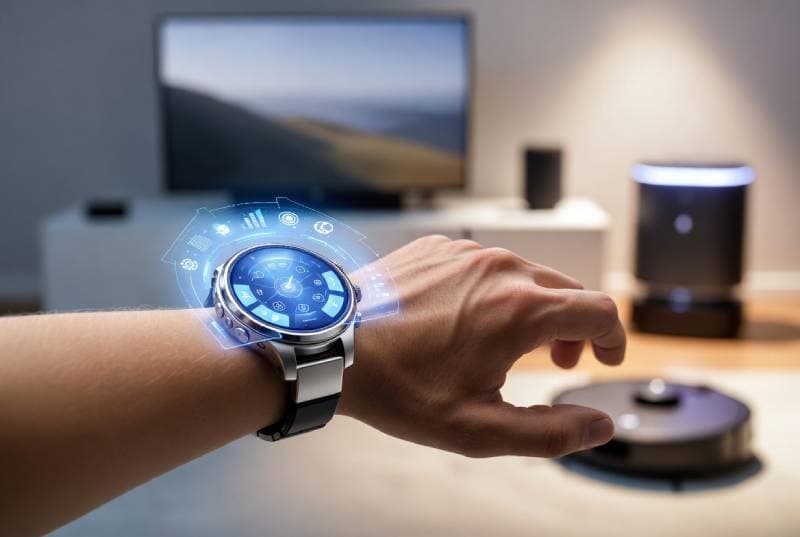
Smartwatches have become an integral extension of our daily lives, evolving rapidly from simple notification devices into powerful health, productivity, and lifestyle companions. Today’s market is crowded with options, and selecting the right smartwatch is more important than ever, as it needs to balance your required features, platform compatibility, aesthetic style, and how it fits into your routine. This ultimate guide covers everything you need to know – from key features and ecosystem integration to lifestyle considerations and example models – so that by the end you’ll feel fully informed and confident about your choice. We’ll look at Apple and Android options alike and discuss all major types (fitness watches, luxury hybrids, budget trackers, etc.), ensuring no question is left unanswered.
Key Features to Consider
When shopping for a smartwatch, start by identifying the features that matter most to you. Modern smartwatches offer a wide array of sensors and capabilities:
· Health & Fitness Tracking: Most top-tier smartwatches include advanced health sensors such as continuous heart rate monitoring, blood-oxygen (SpO₂) measurement, ECG (electrocardiogram) capability, stress or breathing tracking, and detailed sleep analysis. Many watches can automatically recognize exercises or track dozens of workout modes. For example, Garmin and Fitbit devices are noted for comprehensive workout tracking and accurate GPS, making them favorites for athletes. Some high-end models now even offer sleep apnea detection, fall detection or crash detection, and other safety alarms, giving a holistic view of wellness.
· Display & Design: Look for a clear, bright display (often AMOLED or OLED) with high resolution and an always-on mode if you want to glance at data anytime. Premium models often use sapphire crystal or hardened glass for scratch resistance. Consider the watch’s size and shape (square vs. round), case material (aluminum, stainless steel or titanium), and comfort of the band. Interchangeable bands are a plus for style flexibility.
· Battery Life & Charging: Battery demands can vary widely. Many flagship smartwatches run for 1–2 days on a charge, but there are longer-endurance models as well. For instance, some fitness-focused watches (like Garmin and certain hybrid trackers) can last a week or more between charges, whereas feature-rich watches (like the latest Apple Watch) may need daily charging. Look for fast-charging capabilities – some new watches can reach 80% charge in under 30 minutes – and consider whether you’re okay with nightly charging or need multi-day battery life.
· Connectivity & Smart Features: Essential connectivity features include Bluetooth/Wi-Fi for syncing with your phone, GPS for location tracking, NFC for contactless payments, and optional LTE/cellular for making calls or streaming without a phone nearby. Most smartwatches handle notifications (texts, calls, emails, social media alerts) and let you respond on the watch. Many also include voice assistants (Siri on Apple Watch, Google Assistant on Wear OS, Bixby on Samsung) for hands-free control. Additionally, integration with apps (music control, navigation turn-by-turn maps, smart home control, etc.) turns your watch into a remote for your phone. Always check that the watch has the specific smart capabilities you need.
· Durability & Build: If you plan to wear it during workouts or outdoors, look at water and shock resistance. Most quality smartwatches are swim-proof (often rated to 50 meters). Some rugged models even meet military-standard tests for shock and extreme conditions. Note the case material: premium models may use stainless steel or titanium, while budget watches often use aluminum or plastic. Screen glass (sapphire vs. Gorilla Glass) also varies by model, affecting scratch resistance.
· Data Security: Your smartwatch will collect sensitive data, so consider security features. Look for encrypted data transfer, PIN or passcode locks, and control over app permissions. Many watches also sync health data to encrypted phone apps (Apple Health, Google Fit, etc.). While most manufacturers take privacy seriously, be aware of what data is collected and how it’s used.
Overall, make a checklist of your “must-have” features (e.g. “I need ECG and a 7-day battery” or “Must work with my iPhone and have mobile payments”) and compare watches against it. The best smartwatch for you will excel in the areas most important to your lifestyle.
Platform & Smartphone Compatibility
Your smartphone ecosystem is a key factor. Smartwatch platforms are designed around their phone OS, and mixing them can limit functionality.
- Apple Watch (watchOS): Apple Watches (e.g. Series 9/10/11, Apple Watch Ultra) only work with iPhones. They use Apple’s “Watch” companion app on iOS to pair and sync. In fact, Apple Watch pairing requires an iPhone for setup and use; there is no official Android support. In practice, that means if you own an iPhone, the Apple Watch Series 11 (latest as of 2025) offers the best integration, access to thousands of apps, Apple Pay, and features like ECG and blood-oxygen that tie into the Apple Health ecosystem. Apple’s closed ecosystem keeps the experience smooth and secure, but it won’t run on Android phones.
- Wear OS (Google/Samsung): Wear OS is Google’s smartwatch operating system, used by Google Pixel Watches and recent Samsung Galaxy Watches. These watches pair with Android phones (particularly Google Pixel, Samsung Galaxy, etc.) using a companion app (Google’s “Wear OS” app or Samsung’s “Galaxy Wearable” app). They also have partial compatibility with iPhones, but certain features may be limited (for example, replying to texts or third-party app installations can be less flexible on iOS). Samsung’s newer Galaxy Watches (Watch 5/6/7/8) run Wear OS and integrate tightly with Android (and can even handle Samsung Pay). The Google Pixel Watch 4 is a flagship Wear OS device with outstanding battery life (around 60 hours on the 45mm model) and Google Assistant features. Generally, if you use an Android phone, a Wear OS watch will give you broad compatibility and feature support.
- Samsung Tizen / Proprietary: (Note: Samsung has mostly transitioned to Wear OS, but older Galaxy Watches ran on Samsung’s Tizen OS. For up-to-date models, this is no longer separate – assume Samsung uses Wear OS nowadays.)
- Fitbit OS: Fitbit smartwatches (like the Versa and Sense series, now under Google) work with both iOS and Android via the Fitbit app. They emphasize health tracking and typically have long battery life (several days) and always display options. You can get notifications on them, but their app ecosystem is smaller. Fitbit watches sync with either platform, making them versatile if you’re undecided between iOS/Android.
- Garmin, Suunto, Others: Garmin watches (Fenix, Forerunner, Venu, Instinct, etc.) use their own OS and pair via the Garmin Connect app. They are compatible with both Android and iOS, allowing data sync of workouts and health stats. Garmin devices are known for exceptional battery life (many last a week or more) and ultra-accurate GPS, but note they have limited app marketplaces (no third-party apps like on watchOS/Wear OS). Suunto, Polar, and other fitness brands are similar to Garmin in that sense.
- Hybrid Analog (Fossil, Withings, etc.): These watches look like regular analog/digital watches but have hidden smart features (step counters, notifications, etc.). They usually work with both iOS and Android apps, since their features are simpler. They trade interactive screens for style, but ensure the companion app is available on your phone.
- Budget Trackers (Amazfit, Xiaomi, etc.): Many budget-friendly watches use proprietary systems or stripped-down Android. They typically support both platforms, but feature access (e.g. replying to messages) might be more limited. They often offer multi-day battery and include health tracking.
In summary: The safest pairing is to match brand to OS – Apple Watch with iPhone, Wear OS (Google/Samsung) with Android. Cross-platform use is possible for many devices (e.g. a Galaxy Watch can show notifications from an iPhone), but key features like quick replies, app support, or advanced sensors may not fully work unless paired with the “native” OS. For example, even though an iPhone can receive notifications from a Wear OS watch, features like replying from the watch or using Samsung Health on iOS may be limited. (Apple is reportedly working on better third-party watch support in iOS 26, but until then Apple Watch stays the best for iPhone, and Pixel/Samsung watches for Android.)
Tip: Check the manufacturer’s compatibility list. For example, Apple’s spec sheet clearly states “Requires iPhone”, and Google’s sites list which Pixel Watch features work on Android vs. iPhone. Always install the required companion app (Apple’s Watch app, Samsung’s Galaxy Wearable, Garmin Connect, Fitbit app, etc.) on your phone to complete the setup.
Matching a Watch to Your Lifestyle
Beyond specs, consider how you’ll actually use the watch. Think about your daily routine, hobbies, work environment, and style preferences. Here are some common lifestyle categories:
- Fitness Enthusiasts / Athletes: If you’re primarily buying a smartwatch to track workouts and health metrics, prioritize accuracy and battery life. Look for advanced sensors (like precise GPS, altimeter, barometer) and robust fitness modes. For example, Garmin and Fitbit models are well-regarded here. A Garmin Fenix 8 or Forerunner 965, for instance, offers multi-day battery life (often 10–16 days) with in-depth running, cycling, or triathlon features. The Garmin Venu 4 is a versatile choice: it lasts about 12 days on a single charge (for the 45mm) and tracks steps, heart rate, sleep, and even plays music. It’s “great for those who dabble in different kinds of workouts” and comes with a built-in speaker and mic for calls. (It’s basically a fitness watch that still looks classy at work.) Fitness-focused watches often have sweat-friendly bands and are swim-proof.
- Everyday / Casual Users: If you want smart notifications, quick replies, and general health tracking for day-to-day life, focus on smart features and comfort. Mainstream smartwatches like the Apple Watch Series 11 (for iPhone) or Samsung Galaxy Watch 7/8 (for Android) excel here. They handle calls/texts on your wrist, offer customizable watch faces, and have vibrant screens. Battery might be 1–2 days, so plan to charge nightly. These watches make life easier by putting emails, reminders, and music controls at your fingertips. For example, the latest Apple Watch Series 11 offers features like ECG, hypertension alerts, and sleep scoring, yet it’s easy to use and “extremely comfortable” on the wrist. For Android phones, the Samsung Galaxy Watch 7 provides deep notification integration and accurate health stats; it even offers advanced sleep tracking with apnea detection if paired with a Galaxy phone. In short, everyday users get smooth notification handling, voice assistant help (Siri/Google), and the convenience of apps right on their wrist.
- Outdoor Adventurers: If you spend time hiking, swimming, or in rough conditions, durability and navigation are key. Look for watches with high water resistance (often 10 ATM or more), rugged cases, and extra-long battery life (since charging isn’t convenient on a trek). Many Garmin Instinct or Fenix series watches, as well as Casio Pro Trek Smartwatches, are built for the wild (some even have solar charging). They have built-in GPS/GLONASS/Galileo, altimeters, compasses and meet MIL-STD shock tests. For example, a Garmin Instinct 3 includes a built-in flashlight and can last weeks on standby. These watches often lack flashy displays but focus on rugged features like physical buttons (easier to use with gloves) and advanced maps/guidance.
- Fashion & Business: For many, a watch is also a style accessory. If style and comfort are top priorities, look for sleek designs and premium materials. Choose a watch with a case finish (stainless steel, gold-tone, ceramic, etc.) and bands (leather, metal links) that match your wardrobe. For instance, the Apple Watch and Samsung Galaxy Watch both have premium versions (stainless or titanium cases) and vast band options. Hybrid analog-smart watches (e.g. Fossil Gen 6 or Withings ScanWatch) look like luxury timepieces but still give you steps and alerts subtly. Luxury brands like TAG Heuer Connected or Montblanc Summit even exist for those who want a true luxury feel. Remember that fashion watches can still be functional: many let you switch to sport bands or have swim-proof ratings. If you sit at a desk a lot, any modern smartwatch can track your activity, but you may care more about a classic look than, say, a bright sporty strap.
- Sleep Tracking / Health Focus: If tracking sleep or vitals (SpO₂, ECG, ECG) is especially important (for managing health, sleep apnea, etc.), ensure the watch supports those sensors and has proven accuracy. For example, the Garmin and Fitbits above track sleep stages and blood oxygen, and the Apple Watch (since Series 6) also measures SpO₂. Some devices (Apple Watch Ultra, Fitbit Sense) claim to detect sleep apnea or irregular heart rhythms. Check that the companion health app (Apple Health, Fitbit app, Garmin Connect) gives good insights, as this will let you review trends on your phone.
- Children and Seniors: There are specialized smartwatches for kids (basic GPS and calling) and seniors (large screens, emergency SOS). While our main audience is adults 28–45, it’s worth noting that if you buy for family members, many fitness bands or simple smartwatches with easy interfaces work well.
Key takeaway: Think about how, where, and how often you’ll wear the watch. Prioritize whichever features you would miss most (e.g. "I need music control for gym, or I need a business-like look", or "I need a 1-week battery"). This will immediately narrow down the choices from hundreds to a handful that truly fit “like a glove” for your life.
Types of Smartwatches & Top Models
Smartwatches come in different “families” of operating systems and styles. Below is an overview of the main categories and some representative models to consider (note: model names only, for examples; prices are not listed, and new versions may be available).
· Apple Watch (watchOS): The gold standard for iPhone users. Current models (Series 11 and Apple Watch Ultra 3) have always-on Retina displays, ECG/ECG, fall detection, and an extremely polished user interface. The Series 11 is square and sleek; it comes in aluminum, stainless steel or titanium cases, with dozens of band options. It offers about a 24-hour battery life (improved over Series 10), health features (heart rhythm notifications, blood pressure alerts, sleep score), Apple Pay, and deep integration with iOS apps and Siri. The Apple Watch Ultra 3 is a larger, more rugged variant aimed at extreme sports: titanium case, longer battery, depth gauge, and more. In short, if you want the smoothest experience on iPhone, an Apple Watch (Series 11/Ultra) is unmatched.
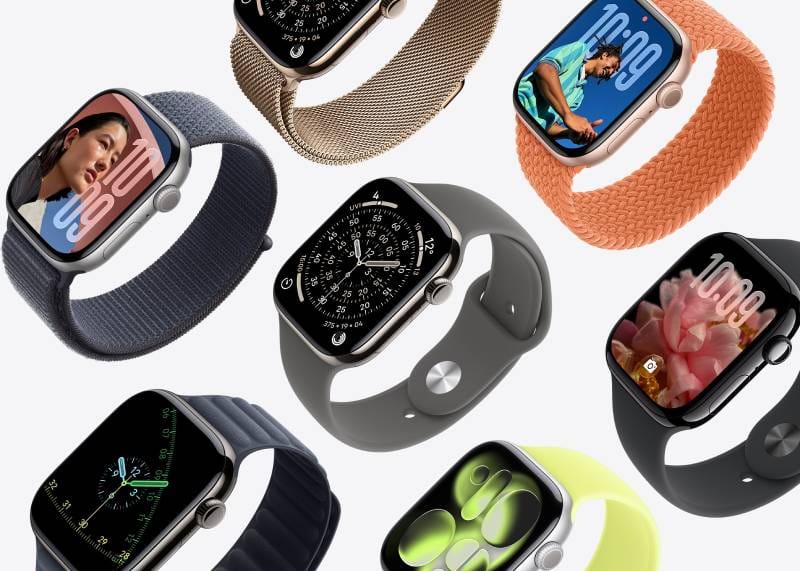
The Apple Watch Series 11 (shown above) is a sleek smartwatch designed exclusively for iPhones, with features like ECG, SpO₂, and seamless Apple ecosystem integration.
· Samsung Galaxy Watch (Wear OS): Samsung’s Galaxy Watches (like the Watch 8) are the flagship Android-compatible smartwatches. They have a classic round design and often include Samsung’s rotating bezel (though newer ones use a digital crown). They run Wear OS and pair best with Samsung or other Android phones. They offer robust health tracking (including blood pressure and ECG on supported phones), sleep apnea detection, Samsung Pay, and Samsung’s assistant (now Google Assistant after their switch to Wear OS). The Galaxy Watch 7 (previous gen) was noted for excellent sleep insights and AI wellness features, while the Galaxy Watch 8/9 upgraded the case and screen. Battery life is typically 1–2 days. Samsung Watches are stylish and are a “leading choice for Android users” according to industry reviews.
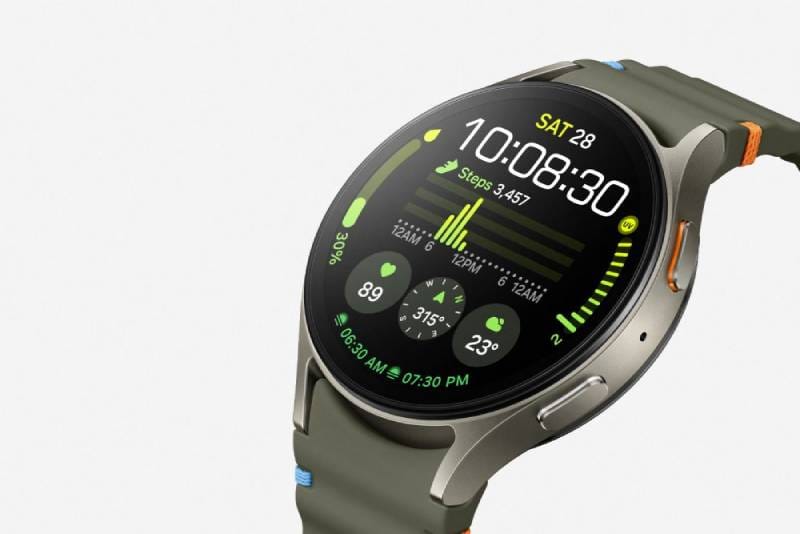
A Samsung Galaxy Watch 7 with its circular touchscreen display. Samsung’s Galaxy Watches are top Android picks, offering rich notifications and health features (sleep tracking, heart rate, etc.) on Android phones.
· Google Pixel Watch (Wear OS): Google’s in-house watch (Pixel Watch 4 and newer) offers a very smooth Wear OS experience with deep Google Assistant integration (even voice activation by raising your wrist). It also integrates Fitbit’s health tracking (since Google owns Fitbit) for detailed sleep and fitness stats. The Pixel Watch 4 notably lasts up to 60 hours on a charge (45mm version) and has a very bright display (up to 3000 nits). It includes unique features like satellite SOS emergency messaging (via LTE models) and Google’s “Gemini” AI voice assistant built-in. Many reviews call the Pixel Watch 4 “the best Android smartwatch overall”, giving two-day battery life and a luxurious feel. If you use Google services (Maps, Wallet, Fitbit, etc.), this watch ties them together elegantly.
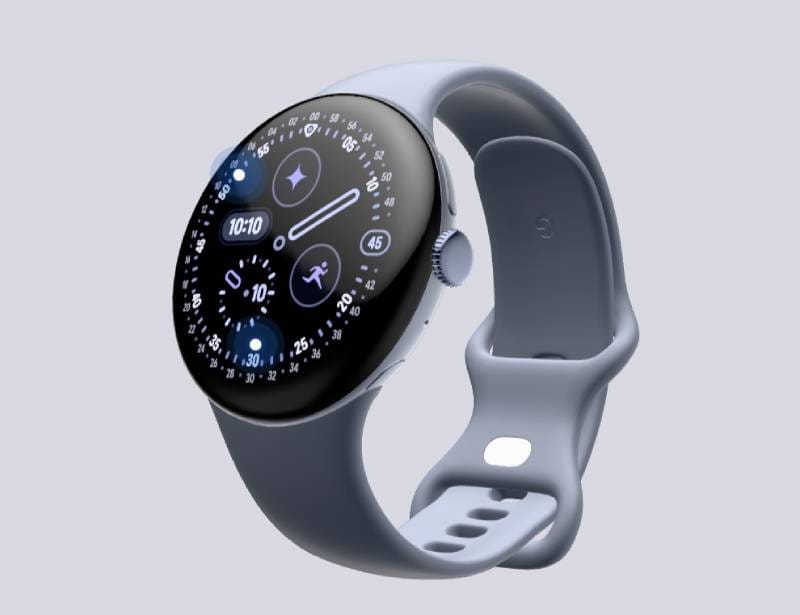
The Google Pixel Watch 4 on a user’s wrist. This Android smartwatch combines Google’s Wear OS with Fitbit health tracking and offers up to ~60 hours of battery life.
- Fitbit (Fitbit OS): Fitbit’s smartwatches like the Fitbit Sense 2, Versa 4, and Charge 5 (technically a fitness band) focus on health and convenience. They are generally more affordable than flagship watches. Fitbit watches work with both iOS and Android phones via the Fitbit app and provide detailed health data and user-friendly experience. They have excellent battery life (often 5–7 days on a charge) and cover basics like heart rate, SpO₂, sleep stages, stress, and notifications. For example, the Charge 5 tracks sleep and activity well and can show ECG heart rhythm. If you just want solid fitness and health monitoring with smart alerts (and care less about thousands of apps or rotating bezels), Fitbit is a strong choice.
- Garmin (Proprietary OS): Garmin makes some of the best fitness/outdoor watches. Models include the Fenix 8, Forerunner 955, Instinct 3, and Venu 4. Garmin watches are renowned for superior GPS accuracy and incredibly long battery life. For instance, the Fenix and Instinct series can last weeks on a single charge (sometimes 15–20 days with moderate use) and include rugged features like solar charging and dive computer functions. Garmin’s color touchscreen models (like the Venu 4) combine fitness smarts with a sleeker look; the Venu 4, for example, provides up to 12 days battery and even a built-in speaker/mic so you can take calls on your wrist. Garmin’s metrics are highly trusted (some tests show its heart-rate and GPS match a professional chest strap and even an Apple Watch Ultra in accuracy). The trade-off is that Garmin’s app ecosystem is smaller, but for hardcore training and exploration, it’s unmatched.
- Others (Huawei, Amazfit, etc.): Brands like Huawei, Amazfit (Zepp), Suunto, Polar, and budget makers (Xiaomi, etc.) offer various watch options. For example, the Huawei Watch GT series offers very long battery (up to 14 days) with a basic app store. Amazfit GTR/GTS models are affordable, multi-day watches with solid step/Spo₂ tracking. These brands often use their own OS and have more limited apps, but they can be great value.
- Hybrid / Luxury Smartwatches: If you prefer a real analog look, hybrid smartwatches from Fossil, Withings, or Garmin (Vívomove) use mechanical hands but have hidden displays or LED indicators. They count steps and show simple notifications via subtle cues, lasting weeks on coin cells. On the luxury end, brands like TAG Heuer Connected or Montblanc Summit run Wear OS inside an expensive watch casing for a status look. These cater to fashion-first buyers who still want some smart features.
Brand Strengths (Summary): Industry reviewers often sum up brand specialties as follows: Apple Watch (Series 10/11) is best for iPhone users with a polished interface and wide app support. The Samsung Galaxy Watch is a leading Android pick, offering health features and integration with Google/Samsung services. Garmin excels for fitness and outdoors with great GPS and battery. Fitbit is known for detailed health metrics and ease-of-use (especially good for casual fitness). And the Google Pixel Watch (and its successors) strikes a balance of style and function by combining Wear OS with Fitbit tracking. Use these as guides when narrowing models – for instance, if you’re an Android user who wants AI features and long battery, the Pixel Watch 4 fits the bill; if you’re an iPhone user who wants the smoothest experience, an Apple Watch is “the best smartwatch for iPhone users”.
Smartwatch-Phone Integration
A smartwatch’s usefulness largely depends on how it connects with your phone. Most smartwatches require an initial Bluetooth pairing via a companion app (e.g. Apple’s Watch app, Samsung’s Galaxy Wearable, Garmin Connect, Fitbit app). Here’s what integration enables:
· Notifications & Communication: Once paired, your watch can mirror phone alerts – incoming calls, SMS/texts, emails, calendar reminders, and app notifications – right on your wrist. On many watches, you can reply to messages with voice dictation, canned responses, or a tiny keyboard. You can even answer calls if the watch has a mic/speaker (Apple Watch, Pixel Watch 4) or an LTE connection. This means less fumbling for your phone throughout the day.
· Health & Fitness Sync: The watch’s health data (steps, heart rate, workouts, sleep patterns) syncs to the phone’s health apps. For example, an Apple Watch uploads data to Apple Health, a Pixel or Wear OS watch to Google Fit, and Garmin to Garmin Connect. This lets you see long-term trends on the big screen and set up personalized goals. It also means you can start a run on your watch and have it instantly available on Strava or other fitness apps via your phone.
· Voice Assistants: If your watch has a voice assistant, it can control phone functions. “Hey Siri” on Apple Watch can send messages or set reminders on your iPhone; “Hey Google” or “Ok Google” on Wear OS watches can do the same with Android phones. Some watches (like Pixel Watch 4) have advanced AI assistants right on the wrist.
· Media Control & Entertainment: You can control music or media on your phone from your watch. Next track, volume, play/pause – it’s all accessible. Some watches even let you store music locally (e.g. Apple Watch or Garmin), so you can listen via Bluetooth headphones without your phone nearby.
· Navigation & Location: Many smartwatches can display turn-by-turn maps by piping GPS data from your phone. This is great for cyclists or pedestrians not wanting to stare at their phone for directions. Some high-end watches even have their own GPS and maps built-in (Garmin Fenix, Apple Watch Ultra), but most can use the phone’s GPS.
· Payments: If your watch has NFC, you can tap to pay. Apple Watch uses Apple Pay, Pixel/Samsung use Google Pay/Samsung Pay. This is very convenient for transit or stores – your watch becomes a wallet, synced to the payment app on your phone.
· Smart Home & IoT: Smartwatches can act as shortcuts for connected home devices. For example, with voice assistant integration you can say “Turn off the lights” from your watch, or use IFTTT shortcuts to unlock doors, etc., as long as the phone (or the watch itself) has internet access.
In essence, the watch is an extension of your phone – it both receives data (alerts, GPS) and sends commands (replies, assistant queries) through the phone connection. Keep in mind that constant syncing will use some battery on both devices, but modern watches are engineered to minimize drain. Overall, this integration delivers convenience and productivity: you glance at your wrist instead of digging for your phone, and you never miss an important alert or fitness goal.
Battery Life and Charging
Battery life is often a key trade-off: more features usually mean more charging. Here’s the general range:
· Daily Charge Watches: Many full-featured watches (Apple Watch, Galaxy Watch, Pixel Watch) last 1–2 days on a single charge, especially with always-on display. Charging overnight is normal for these. Newer models emphasize faster charging: some claim ~1 hour for a full charge or 80% in 30 minutes. If you enable power-saving modes, you can extend life but at the cost of limiting features (e.g. screen off, fewer sensors).
· Multi-Day Watches: If you need a watch that can run for a week or more, consider models designed for longevity. Fitness watches (Garmin, Fitbit, Amazfit) often last 5–14 days. For example, the OnePlus Watch 3 (a budget model) boasts up to 14 days. The Garmin Venu 4 hits around 12 days, which “outshines Apple and Samsung” (though it isn’t solar-powered). Battery life in these watches is extended by lower-power screens and simpler OSes.
· Always-Charging Options: Some premium rugged watches (Garmin Fenix 8, Instinct solar) have solar charging on the face, offering effectively endless battery in sunny conditions. Also, eSIM-enabled watches can drain battery faster if on LTE, so keep that in mind if you need cellular connectivity.
The right battery life depends on your tolerance for charging. If you can charge nightly, a powerful watch with 18–24 hour life may be fine. If you hate charging or travel often, look for the multi-day battery champions. In any case, consider fast charging as a convenience feature – some watches fill up in under an hour, making top-ups on the go quick.
Design, Build Quality, and Durability
A smartwatch should feel good on your wrist and survive your activities. Pay attention to:
· Case Materials: Common materials include aluminum (light, affordable), stainless steel (heavier, durable), and titanium (light and very strong). Luxury watches might use ceramic or sapphire finishes. Premium models often use the heavier metals for a tougher build.
· Screen Protection: Glass types range from hardened Gorilla Glass on mainstream watches to real sapphire crystal on high-end ones. Sapphire is far more scratch-resistant, so if you’re tough on your gear, look for “sapphire glass” in the specs.
· Water Resistance: Most smartwatches today are at least water-resistant to 5 ATM (about 50 meters, suitable for swimming). Some rugged models go up to 10 ATM (100m). Check the rating: “IP68” or “50m WR” are common standards for everyday watches.
· Ruggedness: For outdoor use, look for MIL-STD-810 certifications (common on Garmin, Suunto) which test shock, temperature, etc. These watches often have rubberized bands and buttons meant to handle drops and impacts. For example, Garmin Instinct 3 has a fiber-reinforced polymer case and complies with military standards.
· Comfort & Straps: A watch is comfortable if the band fits well. Many come with silicone/rubber sports bands by default, but most allow swapping bands. Leather or metal bands look dressier. Check lug width and band quick-release options. The size of the watch matters too – some men prefer 42–46mm cases, while smaller 38–41mm cases suit smaller wrists.
Always check these build specs on the manufacturer’s page. High-end watches tend to use better materials and craftsmanship. For example, the Apple Watch Ultra uses a rugged titanium case and sapphire crystal, while a $100 budget watch might use plastic and basic glass.
Integration with Apps and Ecosystems
Think about the apps and services you use daily. Your smartwatch will often plug into those:
· Health & Fitness Apps: If you already track workouts or diet in an app (Strava, MyFitnessPal, Nike Run Club, etc.), ensure your watch can export data there. Apple Watches sync with Apple Health (and to Strava, etc. via HealthKit), Fitbit/Pixel watches sync with Google Fit or Fitbit app, Samsung syncs with Samsung Health. Check if your favorite apps have a watch companion or can import watch data.
· Music & Podcasts: Do you want music offline? Models like Apple Watch and Garmin Venu let you store music (Spotify, Apple Music) on the watch itself. Other watches can control music playing on your phone. If you use streaming services, ensure the watch OS supports them.
· Productivity: Some smartwatches have email apps, calendar reminders, or can trigger smart home scenes. For example, you might want to check your Outlook email on the go, so ensure your watch’s email app works with your account.
· Third-Party Apps: Apple Watch has a vast App Store on the wrist; Wear OS has the Google Play store (smaller but growing); other OSes (Fitbit, Garmin) have only curated app stores. More apps means more customization. Evaluate whether you need specific third-party apps (like a sleep coach, news briefing, etc.) when choosing the OS.
· Smart Home/IoT: If you have smart devices at home (lights, thermostats, security cams), you can often control them via your watch’s voice assistant or apps. E.g., Apple Watch can send commands via HomeKit, Wear OS watches can use Google Home integration.
· Car Integration: Some car infotainment systems (like certain BMW or Tesla setups) allow smartwatches to act as car keys or to auto-login. Apple Watch, for instance, can unlock some smart car locks.
Integration is largely about ensuring the watch plays nicely with your existing phone apps and services. Before finalizing a model, list any must-have apps/services and check compatibility on the maker’s site or support forums. For example, if you rely on Google Maps directions, make sure your watch will display them (Wear OS and Apple Watch both support this). If you use an iPhone with Apple Wallet, only Apple Watch will handle Apple Pay; Android watches will rely on Google Pay or Fitbit Pay, etc.
Price and Value Considerations
Smartwatches span a wide price range, though we won’t quote specific prices (as they change often). Instead:
· Basic/Budget Models: These cover the essentials – time, steps, heart rate, simple notifications. They often have plastic cases and small app ecosystems. Think of entry-level Fitbit Charge or Amazfit devices. They are affordable and can be a good way to try a smartwatch. If money is a concern or you just want a “digital watch plus,” these deliver core features without frills.
· Mid-Range: Most popular smartwatches fall here. These offer bigger screens, more sensors (like SpO₂, NFC, maybe ECG), and better build (metal cases, AMOLED screens). Examples include Apple Watch SE, Galaxy Watch FE, or Fitbit Sense. They strike a balance between functionality and price, and for many users, these provide “all I need”.
· Premium/Flagship: At the high end, you get the latest features, premium materials (titanium, ceramic), and top performance. This includes Apple Watch Series 11, Garmin Fenix 8, high-end Samsung/Pixel models, and luxury branded watches. They often have unique capabilities (satellite SOS, specialized health sensors, etc.). If you want every top feature and the best build, these are your picks. However, evaluate which features you truly need; premium watches may offer advanced health monitoring or style features (like sapphire and gold) that some users may not require.
When deciding, consider value rather than raw price. A £200 mid-range watch might have all the features you need, whereas a £500 premium watch would be overkill. The TechTimes guide notes that budget watches “cover basic notifications and fitness” whereas mid-range bring advanced metrics and better screens, and premium offer top-tier performance. In practice, set a budget range and see which watches in that range meet your requirements. Also, look out for last-year’s models: an Apple Watch Series 10 or Samsung Watch 7 might drop in price when a Series 11/Watch 8 is out, offering similar features for less.
Quick Tips for Value: Read user reviews on battery and build (sometimes a cheaper watch has great battery life). Check if the manufacturer frequently updates the software – that adds longevity. And remember, a smartwatch is an investment in your daily routine, so balancing cost with utility is key.
How to Make the Final Choice
After researching, follow these steps:
1. Narrow by Platform: Decide on iOS vs Android compatibility first. If you own an iPhone, focus on Apple Watch or cross-platform models like Garmin/Fitbit. If Android, look at Wear OS (Samsung/Google) or other brands that support Android well.
2. Match Features to Needs: Use the lifestyle criteria above. Make a checklist: e.g. battery ≥2 days, ECG sensor, swim-proof, color display, etc. See which watches tick all the boxes.
3. Consider Size & Comfort: Smartwatches come in different case sizes. If possible, visit a store and try on a few to see what size feels right. A 46mm watch might be too large for some; a 40mm might be small for others. Also, check band comfort (silicone vs metal, etc.).
4. Read Real-World Reviews: Look at in-depth reviews from reputable tech sites or user forums. For example, Tom’s Guide and TechRadar (cited above) often have detailed pros/cons. They may mention things like “Samsung’s Watch 7 had limited battery” or “Pixel Watch 4’s display is very bright”.
5. Check the App Ecosystem: Make sure your must-have apps (fitness, payment, calendar, music) are available on the watch’s platform.
6. Plan for Updates: Good watches get software support for years (Apple ~5 years, Android watches ~3–4 years). If longevity matters, factor that into the brand choice.
7. Warranty and Aftercare: Premium watches often come with better customer support and repair programs. For example, Apple and Samsung now offer multi-year support and repair options.
8. Test, if Possible: If a friend has the model you’re considering, ask to try it. Otherwise, tech stores sometimes allow you to interact with display units (though some stores keep them locked).
9. Trust Your Instincts: At the end of the day, comfort with the user interface matters. Swiping around on Apple’s watchOS feels different from Samsung’s interface or Garmin’s menu. Go with the one that you “click” with.
Conclusion
Choosing a smartwatch can seem daunting given the options, but by focusing on your personal needs, you can find the one that truly fits “like a glove.” Remember to consider key features (health sensors, battery, display), compatibility (iPhone vs Android), lifestyle use-cases (fitness, outdoors, style, etc.), and build quality. Whether you go with an Apple Watch for seamless iPhone integration, a Samsung/Google watch for Android synergy, a Garmin/Fitbit for fitness focus, or any other option, the right watch is out there. By weighing battery life against features, design against durability, and price against value, you can zero in on the perfect model for you.
Above all, follow this guide’s advice and research thoroughly. Read trusted reviews, check current model specs (since new models come out yearly), and ask questions if uncertain. The perfect smartwatch should not just look good on your wrist, but also enhance your daily routine – from health tracking to staying connected – in a way that makes it feel indispensable.
With the wealth of choices today, your ideal smartwatch is waiting. Use this comprehensive guide as your roadmap, and soon you’ll be confidently tapping, swiping, and tracking on a watch that truly fits your life.
Thank you for reading!
By ChoiceWise