AR Glasses in the Real World: Practical Applications for Work, Travel, and Augmented Daily Experiences
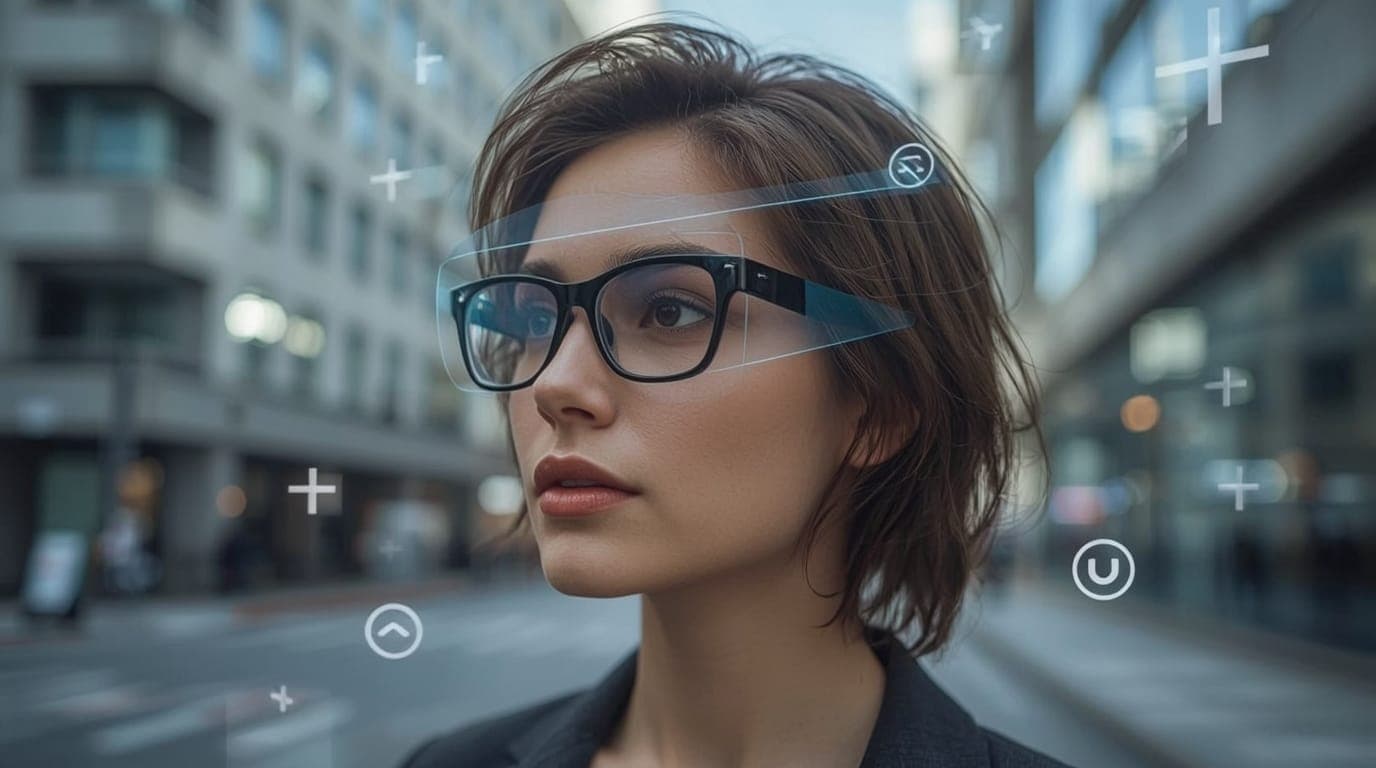
Introduction: Augmented Reality (AR) glasses have been teased in sci-fi and tech demos for years, but they’re finally stepping out of R&D labs and into real life. Imagine slipping on a pair of glasses that translate a foreign street sign in front of your eyes, guide you to the right warehouse shelf, or show you step-by-step how to fix a gadget – all while you stay present in the real world. That’s the promise of AR glasses, and as of 2026, the technology is closer than ever to delivering on it.
Last updated: 16 August 2026.
Major tech players (from Apple and Meta to Google and startups alike) are pouring resources into lightweight smart eyewear, and early adopters are finding practical uses at work, on the road, and in daily life. But how useful are AR glasses today, really? What can they do for you now, what are their limits, and who should consider buying them?
This guide focuses on real-world AR glasses applications. We’ll explore how workers are using them on the job for hands-free assistance, how travelers benefit from live translations and navigation overlays, and how AR eyewear can augment everyday routines. We’ll also explain the underlying technology in plain language, cover key buying considerations, and address privacy and safety concerns. By the end, you’ll have a clear picture of where AR glasses stand in 2026 — and whether it makes sense to jump in now or wait.
Prefer something more discreet for everyday use? Our AI smart glasses guide covers hands-free picks built for notifications and translation.
Quick Takeaways
- AR Glasses Defined: Augmented reality glasses are wearable displays that superimpose digital info onto your view of the real world, unlike virtual reality headsets that block out reality. They keep you present in your environment while adding useful overlays (directions, captions, or 3D holograms). In short, they’re a “heads-up” digital layer for your eyes.
- Why 2026 Is Big: After years of prototypes, AR glasses are getting lighter, more powerful, and actually useful. Meta launched its Ray-Ban Display glasses in late 2025 (with a built-in private in-lens display, starting in the US and expanding globally in early 2026); Google deepened its partnership with XREAL on the Android XR platform, with devices like Project Aura set for 2026 availability. Multiple new devices are rolling out or hitting dev stages in 2025–26, making this the most competitive AR glasses landscape yet.
- Work Use Is Taking Off: Companies in manufacturing, logistics, field service, and healthcare use AR glasses to boost productivity and cut costs. Hands-free remote assistance – where a technician streams their view to a remote expert – saves travel and repair time (30–40% faster fixes in some cases). Warehouse pickers get visual cues and have increased picking efficiency by ~25% at DHL. [1]
- Travel and Navigation Gains: AR glasses help travelers with real-time translations of signs and conversations via captions, or virtual arrows guiding you through a city. Trials in Europe have provided theater-goers with smart glasses that display live subtitles in multiple languages. Airports have tested AR wayfinding so you see navigation markers without staring at your phone. [10]
- Everyday Augmented Life: Current consumer models take photos/videos, play music, handle calls, and run voice assistants. Newer ones show heads-up notifications, turn-by-turn walking directions, or fitness stats. Meta’s latest glasses can pop up incoming texts or identify songs playing around you. The convenience is real, though devices often trade display capability for style.[4]
- Key Buying Factors: Pay attention to field of view (wider FOV = more info in view; many current models 20–50°), display brightness (visible outdoors?), weight/comfort, and battery life (many last 3–4 hours with full AR use). Also check compatibility, controls (voice, touch, gestures), and privacy features (camera indicator lights). [7]
- Privacy & Social Acceptance: Walking around with cameras on your face raises legitimate privacy concerns. Europe’s data authorities have pressed makers on compliance, pushing Meta to enlarge recording lights and add blinking patterns on Ray-Ban glasses. Social norms are still evolving. Follow etiquette: turn off or remove glasses in sensitive areas, ask permission before recording. [4]
- Remaining Hurdles: Battery life and heat are big issues – advanced features drain power fast. Limited field of view makes AR imagery occupy a small window. Bulk and style persist: most AR specs are thicker or heavier than normal glasses. High price tags put capable devices out of reach for casual buyers.
- 2026: Buy or Wait? AR glasses are here and useful – but not for everyone yet. Buy now if you’re a professional with a clear benefit (field technician needing remote help, traveler wanting live translations) or a tech enthusiast okay with version-1 quirks. Affordable options exist in the few-hundred-dollar range. Wait if you’re just curious or want a general-purpose phone upgrade – slimmer designs and broader apps are likely coming by 2027.
What Exactly Are AR Glasses (and What They Are Not)
Augmented reality glasses are eyewear with built-in displays that layer digital content onto the world around you. Unlike VR headsets that immerse you in a digital environment, AR glasses keep you anchored in the real world and project images or text into your line of sight. The overlay can be directions, a floating text message, or a 3D model on a real table. They are see-through or partially transparent, so you see the real world with an added digital layer.[1].
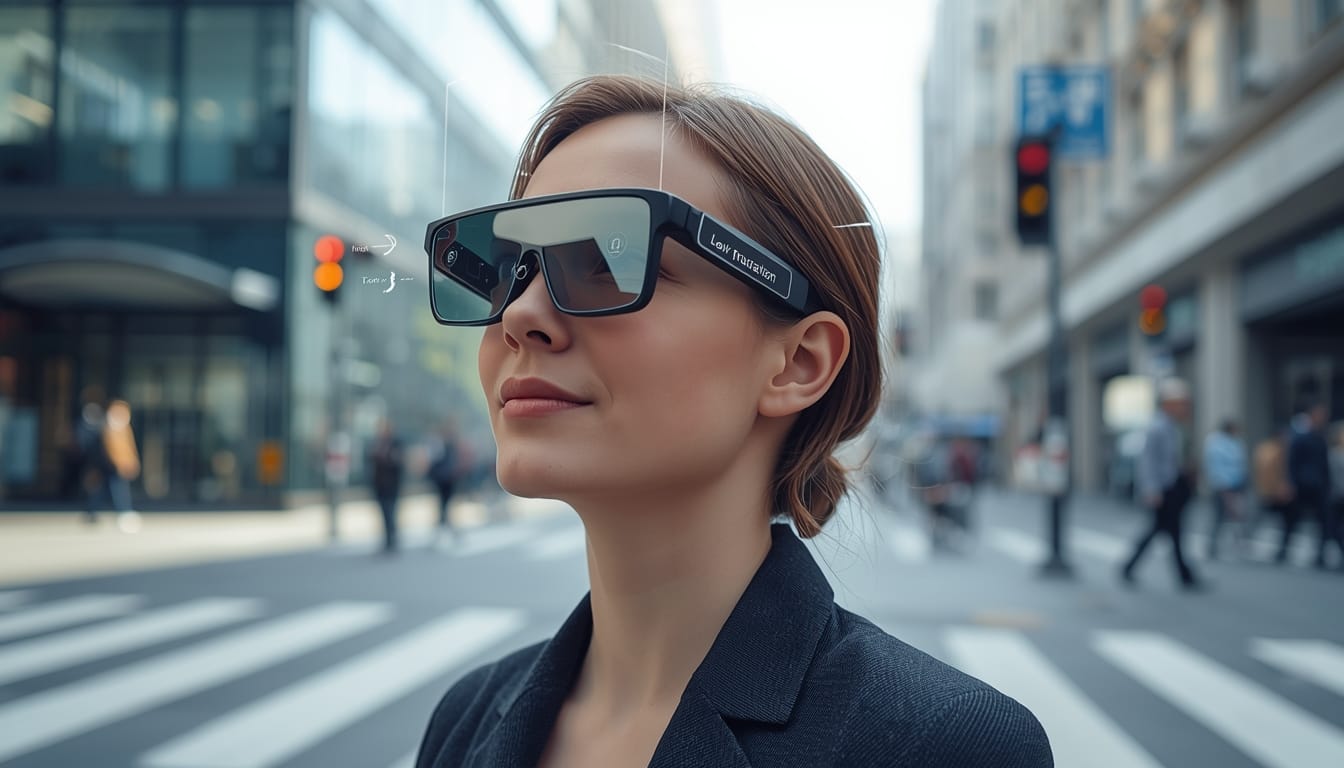
To avoid confusion, it’s worth noting some terminology and what AR glasses aren’t:
- Not VR headsets: AR glasses do not block your vision or transport you to a fully virtual space. They’re closer to a heads-up display than a holodeck. For example, think of the difference between wearing a heavy VR helmet (like a Quest or Apple Vision Pro) versus a pair of sunglasses that can show you notifications – the latter is AR glasses. A recent WIRED piece put it well: people like devices that let them interact digitally with the world while actually looking at it, instead of obscuring it with bulky hardware. AR glasses aim to provide that balance.
- Not just phone-on-your-face contraptions: Early attempts at “smart glasses” like Google Glass (way back in 2013) were basically small head-up displays for notifications, and they suffered from limited function and a social backlash (remember the term “Glassholes”?). Today’s AR glasses have come a long way from those “goofy, unappealing wearables” – they’ve gotten slightly more stylish and a lot more capable. But keep in mind, many current models still rely on a smartphone or external device for computing power, essentially acting as a second screen for your phone (we’ll discuss tethered vs standalone designs later).
- Smart glasses vs. AR glasses: Smart glasses vs. AR glasses: You’ll hear these terms used interchangeably, but there’s a subtle difference. “Smart glasses” is a broader category that can include any high-tech eyewear – even those without transparent displays. For example, Meta’s Ray-Ban Stories (the first-gen released in 2021) and the updated Ray-Ban Meta glasses (2023) have cameras, microphones, and speakers but no integrated visual display. They let you capture photos, talk to a voice assistant, listen to audio, and take calls through your glasses – which is cool – but they don’t overlay any imagery onto your vision. These are smart sunglasses, not augmented reality in the strict sense. In contrast, “AR glasses” have see-through lenses that project visuals into your eyes, creating that augmented reality effect. Increasingly, though, the line is blurring as newer devices combine both: for instance, Meta’s Ray-Ban Display (launched late 2025) adds a small heads-up display in one lens and includes cameras and an AI assistant – so it’s a bit of both.
In summary, AR glasses are all about keeping your eyes up and hands free. They are the lighter, more wearable cousin of VR headsets, meant to be worn on the go or during tasks, not just for gaming or isolated experiences. As one journalist quipped, it’s the convenience of interacting digitally with the real world without being “distracted by a phone screen” or obscured by a giant headset[11]. In the next sections, we’ll see how that simple idea – digital info in your field of view – is being put to very practical use.
The State of AR Glasses in 2026: Why Things Are Heating Up
After years of slow progress, the AR glasses landscape accelerated sharply heading into 2026. Multiple factors converged to make this period an inflection point for wearable augmented reality.
- Big Tech’s Renewed Push: Nearly every major technology company has made a renewed move into AR glasses. Meta expanded beyond camera-only Ray-Ban smart glasses by launching its display-equipped Ray-Ban Display model (with wrist-based neural control band) in late 2025, positioning it as a daily-use wearable in the sub-$1,000 range. Google deepened its Android XR platform for glasses, naming XREAL as a lead hardware partner[2]—their joint “Project Aura” is set to bring Android apps into lightweight AR glasses in 2026, with dev tools already live and leveraging Google’s developer ecosystem. Apple’s entry into spatial computing with Vision Pro in 2024 signaled long-term commitment, even though the device leans more toward mixed reality than true AR. Reports suggest Apple continues development toward lighter AI/smart glasses as an eventual companion to the iPhone, with potential unveiling in 2026 (and availability possibly slipping to 2027)[4]. For the first time, Meta, Google, and Apple are all actively competing in wearable AR, driving faster iteration and clearer product roadmaps.
- Fresh Hardware Launches: Alongside major platforms, a wave of new AR hardware emerged. XREAL and Viture secured significant funding to expand consumer AR development. XREAL introduced updated models with built-in tracking and wider fields of view, reaching up to the low–50° range — among the widest currently available in consumer-grade transparent glasses. Magic Leap released its second-generation enterprise headset with improved optics, targeting industrial and medical use.
Snap announced plans to release its first consumer AR glasses in 2026 after years of experimentation with Spectacles. In parallel, companies such as Alibaba and Xiaomi introduced AI-powered or smart-glasses products in regional markets [4]. Samsung continued development of XR devices in collaboration with Google, signaling broader ecosystem investment. - Lighter, Better Tech: Advances in optics, processors, and power efficiency enabled this new generation of AR glasses. Waveguide displays became brighter and more energy-efficient, improving outdoor usability. New designs achieved higher brightness through improved projection methods and adaptive lens tinting.
On the processing side, specialized XR chips and low-power co-processors made it possible to handle spatial tracking, hand recognition, and AI inference within strict thermal limits. Many designs adopted “split compute” architectures, offloading heavy processing to external modules or smartphones while keeping the glasses lightweight. These compromises made usable, wearable AR feasible for the first time at scale. - From Demos to Deployment: AR glasses also moved beyond demonstrations into real deployments. Warehouse vision-picking systems showed measurable productivity gains, including DHL’s reported 25% improvement in picking efficiency. Manufacturing and energy companies increasingly used AR for inspections, training, and remote maintenance, reducing downtime and minimizing expert travel.
Telecommunications firms and utilities expanded pilot programs into planned rollouts, citing improved collaboration and training efficiency. Analysts noted that 2025 marked a shift from experimental XR projects toward deployments that delivered measurable operational value.. [1] - Growing Ecosystems: Hardware progress was matched by growing software support. Meta opened development tools for its smart glasses, enabling third-party apps that leverage onboard sensors and AI. Google’s Android XR initiative significantly lowered the barrier for developers by allowing familiar Android apps to be adapted for AR displays.
Enterprise software providers such as Microsoft, Zoom, and TeamViewer expanded AR glasses support, allowing companies to integrate AR into existing workflows without custom development. This growing ecosystem reinforced adoption by making AR glasses easier to deploy and maintain at scale. [7]
Despite increased momentum, AR glasses remain an early-stage market in 2025–2026. Sales volumes are modest, and most deployments remain professional or enthusiast-driven. However, industry observers widely view this period as foundational, setting the stage for broader consumer adoption later in the decade[12].
The combination of platform competition, improving hardware, and practical deployments suggests AR glasses are finally transitioning from perpetual prototypes to viable tools.
Next, let’s look at how AR glasses are being used in practice – starting with the workplace, where they’re arguably delivering the most value right now.
AR Glasses at Work: Practical Professional Use Cases
One of the strongest cases for AR glasses today is in the enterprise and professional world. When you have a job that involves complex, hands-on tasks or collaboration across distances, having real-time information in your field of view (and the ability to share what you’re seeing) can be a game-changer. It’s not about gimmicks; it’s about getting work done safer, faster, and smarter. Here are some of the top ways AR glasses are being put to work:
Remote Expert Assistance and Field Service
Remote expert assistance is one of the most established and effective AR glasses use cases. In this model, a field technician wears AR glasses equipped with a camera and microphone, streaming their point of view to a remote expert. The expert can see exactly what the technician sees and provide real-time guidance, often drawing annotations or highlighting components directly within the technician’s display.
This approach reduces the need to dispatch specialists to job sites. Companies across manufacturing, utilities, and telecommunications have adopted this model. For example, industrial teams using AR-supported remote assistance have reported repair times reduced by 30–40% by eliminating back-and-forth explanations and travel delays [7]. Instead of describing a problem verbally, the technician simply shows it.
Healthcare organizations have applied similar workflows. In the UK, NHS trials involved surgeons wearing AR headsets during procedures, allowing specialists to observe and advise remotely. This approach improves access to expertise without physical presence, particularly valuable in urgent or resource-limited situations.
The benefits extend beyond emergencies. Junior technicians gain confidence knowing experienced colleagues can virtually observe their work. First-time fix rates improve, training accelerates, and downtime decreases. Surveys of enterprise XR adoption consistently report productivity gains and higher engagement when remote assistance tools are deployed effectively.
From a technical perspective, successful remote assistance relies on stable connectivity, high-quality cameras, and software integration with collaboration platforms. Many AR devices integrate directly with Microsoft Teams, Zoom, or specialized AR support tools, allowing experts to join sessions with minimal setup. Hands-free operation ensures technicians can continue working safely without juggling phones or manuals.[13]
Hands-Free Workflow and Training (Industrial & Manufacturing)
Beyond remote assistance, AR glasses are increasingly used to deliver step-by-step guidance directly to workers. In manufacturing, maintenance, logistics, and energy sectors, AR overlays replace paper manuals or handheld tablets with contextual instructions embedded in the worker’s view.
In assembly environments, AR glasses can highlight components, display torque values, or guide alignment visually. Trials in aerospace and manufacturing showed significant reductions in assembly time and interpretation errors when instructions were presented in AR rather than static documents. Workers no longer pause to consult manuals, reducing cognitive load and task interruptions.
Training is another major driver. AR-guided onboarding allows new employees to learn procedures while performing them. Studies on immersive training consistently show faster task completion and improved knowledge retention compared to traditional classroom methods. AR glasses support this by providing real-time prompts, safety warnings, and confirmation steps as workers progress.
In warehouses, vision-picking systems exemplify practical AR deployment. Workers wearing monocular AR glasses receive visual prompts directing them to specific aisles, bins, and quantities. Companies such as DHL reported productivity improvements and reduced error rates during these trials [8]. Training time for new hires also decreased, as instructions were delivered visually and contextually.
Enterprise AR hardware used in these environments prioritizes durability, comfort, and long operating hours. Devices are often compatible with safety helmets and feature swappable batteries for extended shifts. Prescription lens support and adjustable fittings are essential, as equipment is frequently shared across teams.
Integration with enterprise systems further enhances value. AR glasses can pull live data from maintenance systems, inventory databases, or IoT sensors, displaying relevant metrics directly on equipment. This contextual data access allows workers to make informed decisions without leaving their task.
Design, Architecture and Visualization
AR glasses are also gaining traction in design, architecture, and engineering workflows. In these fields, the ability to visualize digital models in real-world contexts improves spatial understanding and collaboration.
Architects and construction teams use AR glasses to overlay building information models onto physical sites, enabling on-site walkthroughs before construction is complete. This approach helps identify spatial conflicts early and improves coordination between teams.
In product design, AR glasses allow engineers to compare digital models with physical prototypes in real time. Designers can view full-scale 3D components anchored in space, discuss changes collaboratively, and iterate without building multiple physical versions. Improved spatial tracking enables virtual objects to remain fixed in place as users move, enhancing realism and usability.
The result is faster iteration, clearer communication, and fewer costly revisions. By seeing designs in context rather than abstract representations, teams align more quickly and reduce downstream errors.
Healthcare and Medical Support
AR glasses are increasingly explored in healthcare for both clinical support and training. Beyond remote consultation, surgeons and clinicians use AR to access critical information without diverting attention from patients. For example, AR overlays can display imaging data, patient vitals, or procedural guidance directly within the clinician’s field of view.

Specialized medical AR headsets introduced in 2025 focus on surgical precision and integration with operating-room systems [14]. Newer medical-grade options like SnkeXR (unveiled late 2025) build on this with built-in surgical tracking and depth cameras for even tighter overlays during procedures. Early trials indicate reduced cognitive load and fewer interruptions when clinicians no longer need to consult external monitors. AR guidance can also support minimally invasive procedures by overlaying imaging data onto the patient’s anatomy.
Emergency and field medicine applications mirror industrial remote assistance. Paramedics wearing AR glasses can stream live video to hospital specialists, receiving guidance during complex interventions. In training environments, AR-assisted simulations help medical students and junior doctors practice procedures with visual cues and recorded feedback.
Regulatory approval and data security remain critical considerations in healthcare. However, as devices become lighter and more specialized, AR glasses are increasingly viewed as assistive tools that enhance, rather than replace, existing medical workflows.
Office Work and Productivity
AR glasses have not yet become common office equipment, but several practical use cases are emerging. One of the most discussed is the concept of virtual monitors. Lightweight AR glasses can create large virtual screens visible only to the wearer, allowing laptop users to work with expanded screen space in constrained environments such as cafes or travel settings.
In 2025, several companies marketed AR glasses as portable displays rather than full computing platforms. While current resolution and comfort limit long-term use, the ability to create multiple virtual screens without external monitors is appealing for mobile professionals.
Another practical application is hands-free notifications. Smart glasses can display or read brief alerts, allowing users to remain focused while staying informed. Meta’s smart glasses already support message reading and voice responses, reducing phone dependency during the workday.
Accessibility features are particularly valuable in office environments. Live captioning displayed through AR glasses helps deaf or hard-of-hearing users follow conversations and meetings. These features also benefit multilingual teams by providing real-time transcription.
Virtual meetings represent a longer-term opportunity. While holographic collaboration remains experimental, captioning, contextual prompts, and discreet reminders already enhance communication. AR glasses can also support onboarding by providing guided tours, contextual instructions, or equipment identification in large offices.
Overall, AR glasses in office settings currently function best as supplementary tools rather than replacements for traditional devices. Adoption depends heavily on comfort, social acceptance, and clear productivity benefits [6].
AR Glasses on the Road: Travel and Tourism Applications
Travel is one of the most natural environments for augmented reality. Navigating unfamiliar places, overcoming language barriers, and understanding cultural context all benefit from timely, in-context information. AR glasses allow travelers to access this information without constantly looking down at a phone, keeping them engaged with their surroundings.
Breaking Language Barriers with Live Translation
Live translation is one of the most immediately useful travel applications for AR glasses. By combining speech recognition, machine translation, and visual overlays, AR glasses can display subtitles for spoken conversations or translate written text directly in the user’s field of view.
Theater and live-event pilots demonstrated this clearly. In Paris, audience members at the Comédie-Française use AR glasses to view live subtitles in multiple languages during performances, improving accessibility for international visitors and deaf audiences. Similar trials at European festivals expanded subtitle support to hundreds of languages using AI-driven translation [15].
For everyday travel, AR glasses can translate street signs, menus, and conversations without requiring users to hold up a phone. Several consumer AR platforms—like Meta's Ray-Ban Display (with in-lens live captions and translations for select languages) and options like RayNeo X3 Pro (floating AR subtitles next to speakers/objects)—introduced live captioning and translation features that overlay text near the speaker or object being viewed. This enables more natural interactions, allowing travelers to maintain eye contact while understanding what is being said.
While translation accuracy varies, improvements in language models continue to reduce errors. Privacy considerations remain important, as most translation features rely on cloud processing, though some systems offer offline language packs.
Seamless Navigation and Wayfinding
Navigation is another strong use case for AR glasses. Rather than interpreting maps on a phone, users can follow visual cues overlaid directly onto streets, walkways, or indoor spaces. Directional arrows, distance markers, and destination labels appear within the real environment, reducing confusion and cognitive effort.
Several AR glasses support walking navigation by pairing with smartphone GPS systems. Trials at airports demonstrated AR-assisted wayfinding, helping passengers locate gates, baggage claim, and services more efficiently [15]. Indoor navigation solutions also benefit visually impaired travelers by providing continuous guidance through complex transit hubs.
AR navigation often combines visual and audio cues. Users may receive visual confirmation at decision points while relying on spoken directions between turns, minimizing visual clutter. This hybrid approach helps ensure guidance enhances rather than distracts from the travel experience.
Enhanced Sightseeing and Cultural Experiences
AR glasses add context to sightseeing by overlaying historical, cultural, or explanatory information onto landmarks and exhibits. Museums and heritage sites increasingly experiment with AR to reconstruct ruins, display animations, or provide multilingual explanations without replacing the physical environment.
At UNESCO World Heritage sites, AR-guided tours allow visitors to view reconstructions of historical scenes layered over existing ruins. This approach enables immersive storytelling while keeping visitors focused on the site itself.
Tour operators also use AR glasses to supplement guided walks. Virtual reconstructions, diagrams, or historical imagery can appear at relevant locations, helping participants visualize lost structures or past events. Theme parks and large attractions explore similar concepts, using AR glasses to provide interactive guides and location-based information.
Accessibility and Inclusive Travel
AR glasses offer significant benefits for accessible travel. For deaf or hard-of-hearing users, real-time captioning enables understanding of announcements, guided tours, and conversations in noisy environments. Some systems connect users to remote sign-language interpreters through the glasses display.
For blind or low-vision travelers, AI-powered AR glasses can identify obstacles, read signs aloud, and provide navigational guidance. Integrations with services such as live video assistance further enhance independence during travel.
Color-enhancing lenses and contextual labeling also support travelers with color vision deficiencies, improving interpretation of signage and maps.
These applications demonstrate how AR glasses can function as assistive technologies, expanding access to travel experiences and environments that may otherwise be difficult to navigate.
Travel environments highlight the strengths of AR glasses: visual context, real-time information, and hands-free operation. While adoption remains limited, successful pilots suggest travel could become one of AR’s most compelling everyday applications
Augmented Daily Life: Everyday Uses for Smart & AR Glasses
Beyond work and travel, AR and smart glasses are beginning to augment everyday routines. These applications focus on convenience, accessibility, and reducing friction in daily tasks rather than immersive experiences.
Eyes-Up Notifications and Communication
Smart and AR glasses provide glanceable notifications that reduce the need to constantly check a phone. Incoming messages, calendar alerts, or caller identification can appear briefly in the user’s field of view or be read aloud via built-in speakers. This allows users to remain engaged in their surroundings while staying informed.
Voice assistants play a central role in everyday use. Glasses equipped with microphones and AI assistants allow users to send messages, make calls, and retrieve information hands-free. This is particularly useful while walking, carrying items, or performing tasks where phone interaction is inconvenient.
Micro-Navigation in Daily Errands
AR glasses can assist with small, everyday navigation tasks. Locating a parked car, finding an office within a large building, or navigating a shopping mall becomes easier when directional cues appear directly in the environment. Some smart glasses allow users to mark locations and retrieve them later using voice commands, functioning as spatial memory aids.
These features reduce reliance on external devices and help users manage daily logistics more efficiently.
Fitness and Personal Coaching
Fitness applications leverage AR glasses to display performance metrics such as pace, distance, or heart rate during workouts. By presenting this data heads-up, users remain focused on the activity rather than checking watches or phones.
Emerging concepts include AR-guided workouts, where virtual trainers demonstrate movements or provide real-time feedback. While still experimental, such applications highlight how AR glasses could extend fitness tracking beyond passive data collection into active coaching.
Cooking, DIY, and Hands-On Tasks
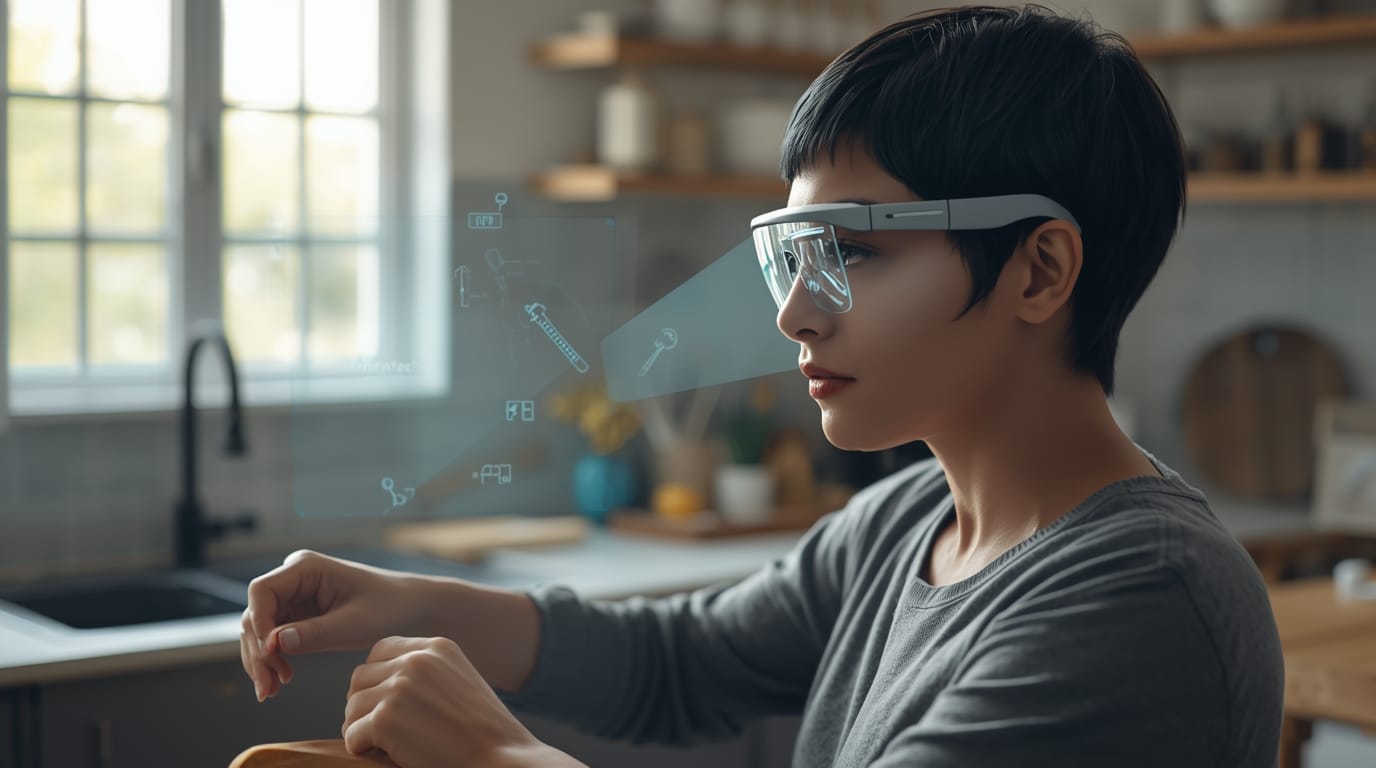
AR glasses are particularly useful for tasks that require hands-on attention. Cooking, home repairs, and DIY projects benefit from step-by-step instructions displayed within view. Users can follow recipes, assembly guides, or repair instructions without touching a phone or tablet.
AR overlays can highlight tools or components, reduce errors, and improve task flow. This approach mirrors enterprise training use cases but scaled for home environments, making complex instructions easier to follow.
Shopping and Retail Assistance
Retail applications for AR glasses remain early but promising. In-store navigation, product information overlays, and accessibility features can assist shoppers in large or unfamiliar environments. At home, AR glasses enable visualization of furniture or products in real space, helping users assess size and fit before purchasing.
Retail studies consistently show that immersive product visualization improves buyer confidence and conversion rates, suggesting potential long-term value as AR hardware becomes more accessible.
Content Capture and Lifelogging
Smart glasses with built-in cameras allow users to capture photos and short videos hands-free. This enables first-person content capture without interrupting experiences, appealing to travelers, parents, and content creators.
While continuous recording raises privacy concerns, occasional hands-free capture offers a practical way to document moments naturally. Future concepts include searchable visual memories, though widespread adoption depends on privacy safeguards and social norms.
To sum up daily life uses: AR and smart glasses aim to blend into your routine and remove small friction points – checking a notification, remembering an errand, finding information quickly, capturing a memory, etc. They are like a subtle assistive layer, often driven by AI, that augments your day without demanding too much attention.
Now that we’ve covered what you might do with AR glasses, the next question is how to choose the right ones and what to look for when buying. Let’s break down the key specs and considerations that truly matter.
Choosing the Right AR Glasses: Key Specs and Considerations
As AR glasses become more widely available, evaluating them requires looking beyond marketing claims. Certain specifications and design choices directly affect usability, comfort, and long-term value.
Field of View (FOV)
Field of view determines how much digital content can appear at once. Most current consumer AR glasses offer FOVs ranging from narrow monocular displays around 20° (like Meta's Ray-Ban Display for subtle notifications) to wider binocular setups in the 46–57° range (common in models like XREAL One Pro or Viture Luma series). Narrower FOVs limit overlays to small windows suitable for notifications or simple prompts rather than immersive visuals.
Newer consumer models and upcoming ones push beyond 50° (with some previews hitting 70°), improving spatial integration and reducing the “postage stamp” feel. However, larger FOVs increase optical complexity and power demands. Buyers should verify how FOV is measured, as diagonal and horizontal figures differ significantly.
Display Quality and Brightness
Display clarity and brightness determine usability across lighting conditions. Outdoor visibility requires high brightness—top consumer models like Meta's Ray-Ban Display reach up to 5,000 nits (with UV detection for auto-adjust), while others (e.g., XREAL series) hit 700+ nits perceived brightness for good daylight performance. Enterprise devices often push even higher. Many models still shine brightest indoors or in shade, but adaptive tinting or electrochromic shading improves contrast and reduces eye strain [9].
Comfort, Weight, and Fit
Comfort is critical, as even small weight increases affect prolonged wear. Traditional glasses weigh under 30g, while AR glasses commonly range from 50–100g. Poor balance or front-heavy designs can cause fatigue over time.
Adjustable nose pads, flexible temples, and prescription lens support significantly impact comfort. Many AR glasses offer clip-in prescription inserts or safety-rated frames for workplace use.
Battery Life
Battery constraints remain a major limitation. Consumer AR glasses typically provide 3–6 hours of active display or mixed use (e.g., Meta Ray-Ban Display at ~6 hours, extendable via accessories), with heavy features draining faster. Enterprise devices often address this with swappable batteries or external power modules for full-shift operation.
Manufacturers quote mixed-use estimates—real-world runtime depends on camera use, connectivity, brightness, and AI features. Buyers should plan for charging access during extended use.
Processing and Connectivity
AR glasses vary between standalone systems and tethered designs. Standalone devices offer independence but tend to be heavier and more expensive. Tethered models rely on smartphones or external compute packs, reducing headset weight while limiting mobility.
Compatibility is essential. Some devices require specific phone models or operating systems. Platforms supporting Android XR or standard development tools offer broader app availability and longer-term flexibility.
Controls and Interaction
Effective interaction methods are crucial. Common inputs include voice commands, touch surfaces, physical buttons, and gesture recognition. Voice control remains the most practical for hands-free work, particularly in enterprise environments.
Emerging control methods such as wrist-based input reduce reliance on visible gestures, improving social acceptability. Devices offering multiple input options tend to be more adaptable across environments.
Audio and Privacy Features
Audio quality matters for navigation, calls, and accessibility features. Most glasses use open speakers or bone-conduction systems, balancing audibility with environmental awareness.
Privacy indicators are essential for social acceptance. Visible recording lights, audible alerts, and user-controlled capture modes help address concerns about covert recording. Devices lacking clear privacy signaling may face regulatory or social resistance.
🚩Red Flags to Watch For
Overhyped Claims: Be wary of marketing that uses vague superlatives without context. Claims like “revolutionary AR” or “300-inch virtual screen” can be technically true while hiding major limits (narrow FOV, low brightness, tethering, short battery). Look for concrete specs and real-world demos instead of hype.
Poor Transparency on Specs: If a product page won’t clearly list resolution, field of view, brightness, battery life, weight, or compatibility details, treat that as a warning sign. Lack of clarity often means the numbers are weak — or that real-world performance varies widely.
Comfort Issues in Reviews: Fit and comfort vary a lot by face shape. If multiple reviews report pressure points, slipping, heat, poor balance, or headaches, take it seriously. Even great software becomes irrelevant if you cannot wear the device for more than 20–30 minutes.
Limited Support or Updates: AR glasses are still a young category. Some devices have been abandoned by manufacturers, leaving users with outdated apps, limited bug fixes, and declining compatibility. Favor brands with clear update policies and active software roadmaps.
Compatibility Limitations: Confirm the device works with your phone, laptop, or ecosystem (Android vs iOS, USB-C video output, required apps, etc.). Some devices only support a subset of phones or require specific hardware features. If a device is locked to one platform, understand that commitment before buying.
Choosing AR glasses requires balancing current needs against evolving technology. No single model excels in every category, and trade-offs remain unavoidable. Understanding these constraints helps buyers select devices aligned with their specific use cases.
In short, evaluate AR glasses like a phone + wearable + display combined. You want clear specs, stable software, and real-world proof that the device fits your use case.
Now that we’ve covered how to choose, let’s look at the major players and ecosystems shaping AR glasses.
Major Players and Ecosystems in AR Glasses
The AR glasses arena is evolving rapidly, with big tech giants and specialized players all competing to define the platform layer (hardware + OS + developer ecosystem) that will matter most long-term. Some are aiming for consumer scale; others focus on enterprise ROI.
Meta (Facebook) – The Social Wearables Approach
Meta has been one of the most aggressive players in smart glasses. Through its partnership with EssilorLuxottica (Ray-Ban), Meta popularized camera-and-audio “smart glasses” and expanded toward display-enabled wearables with integrated AI features [5].
The Ray-Ban Display model (launched September 2025 at $799 with wrist-based Neural Band) has seen overwhelming U.S. demand—waitlists extend well into late 2026, pausing planned early 2026 international rollout to prioritize U.S. orders—while recent CES updates added features like in-display teleprompter for remarks and EMG handwriting messaging. Meta’s long-term goal is full AR. It continues prototyping advanced AR systems and experimenting with new control methods (including a wrist-based neural band) to make glasses more usable without obvious hand gestures. Meta’s strategy emphasizes daily-life utility: capture, communication, navigation, and AI assistance — delivered in a form people might actually wear.
Ecosystem notes: Meta is building developer tooling and AI integration to make these devices more than accessories. The success of Meta’s approach depends on social acceptance (privacy optics) and whether its app ecosystem becomes genuinely useful day-to-day.
Google and the Android XR Ecosystem – Big Comeback
Google is re-entering AR glasses by extending Android XR support to eyewear and deepening its partnership with XREAL (named lead hardware partner in early 2026). The strategic advantage is obvious: Android’s scale and developer ecosystem can reduce the “app drought” that hurt earlier AR attempts.
Google’s approach emphasizes platform leverage. If AR glasses can run Android XR apps efficiently, the barrier to useful software drops dramatically compared with closed ecosystems. Project Aura (XREAL's tethered XR glasses with 70° FOV optical see-through and split-compute design) is on track for 2026 consumer availability, with dev tools live and further updates coming later this year. The key question is execution: hardware quality, battery efficiency, and a UI that feels native to glasses rather than a phone screen transplanted onto your face.
Ecosystem notes: Android XR could become a major on-ramp for AR apps — especially if developers can adapt existing Android apps without rebuilding everything from scratch.
Apple – The Vision (Pro) and Beyond
Apple’s Vision Pro raised mainstream attention around spatial computing, even though it’s more of a mixed-reality headset than lightweight AR glasses. Apple’s likely long-term direction is toward smaller, lighter devices that fit Apple’s wearable strategy and ecosystem model [4]. Reports suggest an initial AI/smart glasses model (camera-equipped, Siri/Apple Intelligence-focused, no built-in display) could unveil in 2026 (with shipments possibly slipping to 2027), serving as a companion to the iPhone—followed by true lightweight AR versions potentially in 2027–2028.
Apple tends to enter categories later but push refinement and integration. If Apple releases true AR glasses, the experience will likely emphasize seamless pairing, polished UX, and tight privacy controls. The biggest unknown is timing and form factor: AR optics and battery constraints remain difficult to solve in a glasses-like design at Apple’s standards.
Microsoft – Enterprise Stronghold (for now)
Microsoft remains influential in enterprise AR through its ecosystem and workplace software integration. Although consumer AR glasses are not Microsoft’s focus, enterprise deployments often depend on compatibility with Microsoft tools and workflows, especially for collaboration and guided work.
Microsoft’s role in AR glasses is less about consumer hardware and more about enterprise infrastructure: identity, security, device management, and productivity integrations that make deployments viable at scale.
Magic Leap – The Comeback Kid (Enterprise)
Magic Leap has refocused on enterprise AR, targeting sectors like healthcare, manufacturing, and defense. Enterprise AR succeeds when it solves expensive problems (downtime, training, remote support), and Magic Leap’s strategy aligns with that reality.
Its value proposition is immersive, higher-capability AR — generally at a higher price point — aimed at organizations that can justify ROI through productivity and safety improvements.
Vuzix, Epson, and Other Enterprise Veterans
Several long-standing AR companies focus on practical enterprise devices. These products often prioritize durability, field usability, and compliance over sleek consumer design. For companies deploying AR at work, proven device management, support contracts, and reliability matter as much as pure specs.
These vendors also tend to integrate with enterprise AR software platforms used for guided workflows, remote assistance, and training — where glasses become tools, not lifestyle gadgets.
Snap Inc. – Social AR and the Fun Factor
Snap’s AR strategy has historically focused on camera-based AR experiences (filters, lenses, social content). Its Specs AR glasses are confirmed for consumer release in 2026 after years of experimentation with developer-facing Spectacles—bringing that playful, social layer into wearable form [3]. Snap’s success depends on whether it can make AR feel lightweight, fun, and culturally acceptable — while still being useful enough to justify daily wear.
Others to Watch: Xiaomi, Oppo, and Startups
A growing field of startups and regional manufacturers are pushing fast iteration. Many focus on specific niches: tethered AR display glasses, AI-first smart glasses, or specialized travel and translation features.
The market is likely to remain fragmented in the near term, with different ecosystems competing for relevance. Over time, a few platform standards — especially those tied to major OS ecosystems — may consolidate adoption.
Privacy, Ethics, and Social Acceptance of AR Glasses
As AR glasses move into public spaces, privacy, safety, and ethical concerns become unavoidable. These devices can include cameras, microphones, and sensors that change the social expectations of what’s being recorded or analyzed.
Bystander Privacy and “Always-On” Cameras
A major concern is bystander uncertainty. People may not know if they are being recorded, and small indicator LEDs have not always reassured users or regulators [6]. Even when companies implement recording lights, social discomfort persists in places like cafés, stores, gyms, and public transit.
Public acceptance often depends on clarity and etiquette: visible indicators, user behavior, and social norms around when it’s appropriate to wear or use camera-equipped glasses.
Data Security and Personal Privacy
AR glasses collect sensitive personal data: voice, images, locations, and behavioral patterns. If this data is stored or processed in the cloud, it increases exposure risk. Users should understand what is processed on-device versus sent to servers, what is retained, and what is used to improve AI systems.
Enterprise deployments often require strict security controls: encryption, device management, access controls, and compliance policies — especially in healthcare and industrial environments.
Distraction and Safety
AR overlays can distract, and distraction becomes dangerous in motion. Even small HUD elements can reduce attention while walking in traffic, navigating stairs, or operating equipment. Responsible AR design prioritizes subtlety, minimal obstruction, and context-aware UI that limits overlays in risky conditions.
For users, the rule is simple: treat AR like any attention-demanding tool. If the task requires full focus, reduce overlays or remove the glasses.
Ethical Use of Augmented Information
AR glasses raise ethical questions about what information should be surfaced in real time. Contextual overlays (names, ratings, personal profiles, behavioral predictions) can quickly cross into “unwanted surveillance” territory. Even if technically possible, not all augmentation is socially acceptable.
Ethical design depends on clear consent, visible indicators, user control, and avoiding covert identification or profiling in public spaces.
Best Practices for Users
- Use obvious recording indicators and avoid covert capture.
- Ask permission before recording people in close settings.
- Disable cameras in sensitive environments.
- Treat AR overlays as guidance, not truth — verify important information.
- Keep overlays minimal when moving in public.
Positive Privacy Features
Some devices include privacy-forward design elements: recording lights, audible cues, physical shutters, or clear camera modes. These features help reduce ambiguity and improve social acceptance — especially if they are difficult to bypass.
The Realities and Roadblocks: What AR Glasses Can and Can’t Do (Yet)
AR glasses are exciting and increasingly useful, but they are complements, not replacements, for our current devices and habits.
What AR Glasses Can Realistically Replace or Enhance Today
- Smartphone Peek Tasks: Checking notifications, seeing who’s calling, getting time/weather, and quick navigation directions. Glasses handle many glance-at-phone moments. Users report pulling out phones less often.
- External Displays and Monitors: Provide portable virtual screens (one or multiple) for laptops or phones. Useful on planes or for productivity on the go. Resolution and clarity still lag behind physical 4K monitors for fine detail work.
- Camera and Video Functions: Hands-free first-person photos/videos. Convenient for vlogging, cycling, or cooking. Quality is not as good as dedicated cameras, especially in low light.
- Audio – Calls and Music: Replace earbuds for calls and casual listening in quiet environments. Open-air audio means others may hear a bit.
- Physical Manuals, Checklists and Some Tools: In professional settings, replace paper manuals, handheld scanners, or tablets for certain tasks. Warehouse workers may not need separate barcode scanners; field engineers leave thick binders behind.
- Accessibility Aids: Consolidate functions for blind or low-vision users (narration, sign reading) and deaf or hard-of-hearing users (always-on captions).
What AR Glasses Cannot (Yet) Replace
- Your Smartphone (Overall): Glasses rely heavily on phones for connectivity and processing. There is no robust input for long messages or editing. Phone cameras allow intentional framing; glasses are fixed point-of-view.
- Computers for Heavy Productivity: Not suitable for complex work like coding or detailed design all day. Comfort and resolution are insufficient for extended sessions.
- VR Headsets for Immersion/Gaming: Cannot match the wide FOV, graphics power, or input systems of dedicated VR headsets for fully immersive experiences.
- Professional Cameras or Specialized AR Headsets: Not replacements for high-end filmmaking gear, certified surgical systems, or rugged military/enterprise devices.
- Human Judgment and Presence: AR glasses deliver information but do not replace skill, decision-making, or social interaction.
- Mass Adoption Necessities: Cannot replace smartphone ubiquity for broad communication – not everyone has compatible glasses yet.
- Long Battery Devices: Intensive or full-display use drains power in 1–4 hours for many consumer models (e.g., 3–6 hours mixed in current leaders like Meta Ray-Ban Display with accessories). Not suitable for all-day heavy tasks without external power, charging cases, or tethered setups.
Roadblocks and Challenges Still Facing AR Glasses
- Battery Life & Heat: Advanced features drain power quickly; glasses can get warm after extended use[7]. heat from processors/displays noted in reviews; battery remains top complaint.
- Field of View & Optics: AR imagery often occupies a limited window in narrower models (e.g., 20° monocular in Meta Ray-Ban Display), though newer consumer display glasses reach 46–57° binocular for better spatial feel. Wider FOV improves integration but can add bulk, distortion, or power demands.
- Bulk & Style: Most models remain thicker or heavier than normal glasses. True “forget you’re wearing them” slimness is still difficult.
- Pricing: Full-featured AR glasses are expensive (hundreds to thousands of dollars). Value varies widely by use case.
- Content and Killer Apps: The category is still searching for a must-have experience that makes glasses essential every day.
- Human Factors: Comfort varies; some users experience eye strain or fatigue with prolonged use. Social comfort—explaining the device or reassuring others about privacy—remains necessary.
- Regulations and Public Perception: Privacy incidents could provoke backlash. The industry must self-regulate to avoid bans or heavy restrictions.
- Interoperability: Fragmented ecosystems persist, with different manufacturers and phone compatibility. There is no universal AR content standard yet.
AR glasses excel in eyes-on, hands-free, contextual tasks, but they generally can’t take over heavy interaction or content creation from phones or PCs. They represent a new computing layer, not a wholesale replacement.
For many, they remain early-adopter / niche in 2026 – nice-to-have for enthusiasts or specific needs, not yet essential for everyone.
2026 Readiness Checklist: Are You (and Your Organization) Ready for AR Glasses?
AR glasses are most successful when matched to a clear use case. This checklist helps individuals and organizations decide whether to adopt now or wait.
✅ For Individuals: Should You Buy AR Glasses Now?
- Interest and Use-Case: Do you have a clear use-case? Frequent traveler wanting live translations and navigation, field worker needing remote help, or strong curiosity as a tech enthusiast. Specific motivation makes the purchase worthwhile. Vague interest often leads to devices gathering dust.
- Phone Compatibility and Platform: Check your phone compatibility. Meta Ray-Ban Display works well with both iOS (14.4+ or 15.2+ for full features) and Android (10+), supporting basics like notifications, capture, and AI across platforms. Many tethered AR display glasses favor Android for deeper integration (e.g., USB-C video output or Android XR). Apple users may prefer to wait for rumored native smart glasses integration in 2026–2027.
- Comfort with Early Tech Quirks: Expect calibration, beta apps, firmware updates, and occasional bugs. If you enjoy early adoption, proceed. If you want polished and hassle-free tech, wait.
- Lifestyle Fit: Already wear glasses daily? Look for prescription support. Don’t wear glasses normally? Will you remember to carry and use them? Comfortable wearing them in public? Driving laws may restrict use—most value comes from walking or transit.
- Budget and Value: Prices range from a few hundred to thousands. Invest only what you’re comfortable with knowing better models are coming. Read reviews and check return policies.
- Privacy & Etiquette Preparedness: Decide personal rules—ask before recording, remove glasses in sensitive areas. Be ready to explain the device to others to ease concerns.
✅ Who Should Probably Wait:
No strong use-case, primary iPhone users wanting seamless integration, low tolerance for early-adopter issues, or tight budgets. The next 1–2 years should bring better specs and lower prices.
✅ For Businesses: Is Your Organization Ready to Pilot or Deploy AR Glasses?
- Identify a Clear Problem to Solve: Focus on a specific pain point—frequent specialist travel, long training cycles, or high picking errors. Define measurable success metrics (time saved, errors reduced, output increased).
- Secure Executive Buy-In and Budget: Leadership support is essential. Prepare a brief with benefits and case studies (e.g., DHL’s 25% efficiency gains, 30–40% faster repairs)[1].
- Start Small and Focused: Pilot with 10–20 devices in one team or location. Use a 3-month timeframe and tight scope.
- Ensure Infrastructure and Integration: Confirm Wi-Fi/cellular coverage, IT security, and integration with existing systems. Plan for device management and updates.
- Train and Engage Users: Choose open participants, provide training, explain benefits, and collect feedback. Early users become internal champions.
- Measure and Document Results: Capture quantitative and qualitative results for scaling decisions.
- Address Challenges Early: Resolve comfort, workflow, and IT issues before expansion.
- Plan the Next Step: Scale if successful; iterate or pivot if results are mixed.
Successful organizations treat AR adoption like any digital transformation project—measured, iterative, and user-centered.
Conclusion:
AR glasses in 2025–2026 straddle the line between novelty and necessity. In the workplace, they’re already proving their worth in many pilot programs and selective deployments, with clear productivity and training benefits when used right. For consumers, they offer a glimpse of a more seamless digital-physical blend – whether that’s translating a sign on vacation or letting you navigate city streets like you have a local guide whispering in your ear.
Who should buy now? Tech enthusiasts, early adopters, professionals with a strong use-case (remote workers, frequent travelers, fitness geeks, etc.), and businesses with a well-defined AR application should feel confident giving AR glasses a shot. The technology has matured enough that you can get real value today – as we’ve seen, it’s not just tech demo hype; there are solid, pragmatic uses. Just go in with eyes open about the current limitations and follow best practices to integrate them smoothly.
Who should wait? If you’re more casual about technology, budget-conscious, or simply your daily routine doesn’t have an obvious AR gap, it’s perfectly fine to observe a bit longer. The coming years will bring even better devices – lighter, cheaper, wider-view – and more cultural acceptance. Apple’s eventual entry might set new benchmarks (and also entice a wave of AR app development in its wake). By 2027 or so, AR glasses might be as commonplace as smartwatches, and stepping in then will be easier and possibly more rewarding for mainstream users.
Why it matters either way: Whether you adopt now or later, AR glasses represent a fundamental shift. They are the first step to moving computing from our hands to “heads-up” directly in our perception. That’s a big deal. It means information and assistance will be available in context, at the right place and time, more and more. For work, it means potentially safer, faster, better results. For travel and daily life, it means less friction (no more being glued to a phone when you could be looking at the world). We’re learning how to integrate technology more naturally into human experience, and AR glasses are a pivotal tool in that journey.
So, whether you’re strapping on a pair of smart specs today or just keeping an eye on developments, one thing is clear: augmented reality glasses are moving from fiction to fact, bit by bit enhancing the way we work, explore, and engage with our world. It’s an exciting path, and if you do jump in now, you’ll have a front-row seat (or rather, a first-person view) of this transformation – with the digital world literally at your eyeballs.
Thank you for reading!
- ChoiseWise
Frequently Asked Questions
What's the difference between AR glasses and VR headsets?
AR glasses overlay digital information onto your view of the real world and keep you present in your surroundings, unlike VR headsets, which block out reality entirely.
What can AR glasses realistically replace today?
They can handle smartphone glance tasks like notifications, navigation and weather, work as a portable external display, take hands-free photos and video, and act as accessibility aids such as live captions — though camera and display quality still lag behind dedicated devices.
Which industries are adopting AR glasses first?
Manufacturing, logistics, field service and healthcare are leading adoption, mainly for hands-free remote assistance where a technician streams their view to a remote expert.
Which companies are driving the 2026 AR glasses market?
Meta launched its Ray-Ban Display glasses in late 2025, and Google has deepened its partnership with XREAL on the Android XR platform, with devices like Project Aura set for 2026 availability.
By ChoiceWise